---
updatedAt: 2026-09-16T19:41:23.000Z
agentTools:
siteIndex: https://docs.readme.com/llms.txt
siteSearch: https://docs.readme.com/agentSearch?query=term1%20term2
projectIndex: https://docs.readme.com/ent/llms.txt
projectSearch: https://docs.readme.com/ent/agentSearch?query=term1%20term2
---
# Manage Projects
Manage the projects that live inside your Enterprise Group
Your Enterprise plan includes access to your Enterprise Group, also known as a parent group, as well as related projects, referred to as child projects. The parent Enterprise Group manages multiple child projects under one dashboard and acts as a wrapper that provides a single custom domain and global landing page.
###
Need additional support? Contact your CSM or reach out to [support@readme.io](mailto:support@readme.io) at any stage of setup.
***
## Group and Project Inheritance
A Enterprise Group provides shared functionality across all of its projects:
* Provide global CSS rules across all of your child projects.
* Provide global third-party integration settings across your child projects.
* Provide custom JavaScript across all of your child projects.
* Provide a global landing page to house the child projects under.
Set the custom domain in the parent Enterprise Group. Each child project shows up as a subpath in the URL after the custom domain.
### URL Structure
Here is an example of a parent Enterprise Group URL structure with three child projects:
**URL**
**Description**
`parent.readme.io/`
Your global landing page
`parent.readme.io/child1/docs/getting-started`
Page URL with default version
`parent.readme.io/child2/v1.0/docs/getting-started`
Page URL with version specified
`parent.readme.io/child3/lang-ja/v1.0/docs/getting-started`
Page URL with language and version specified
***
## Add a Project to a Group
1. Go to dash.readme.com and create a new project.

2. Go to the **Projects** page in your Enterprise Group dashboard. This page lists all child projects currently associated with your Enterprise Group.
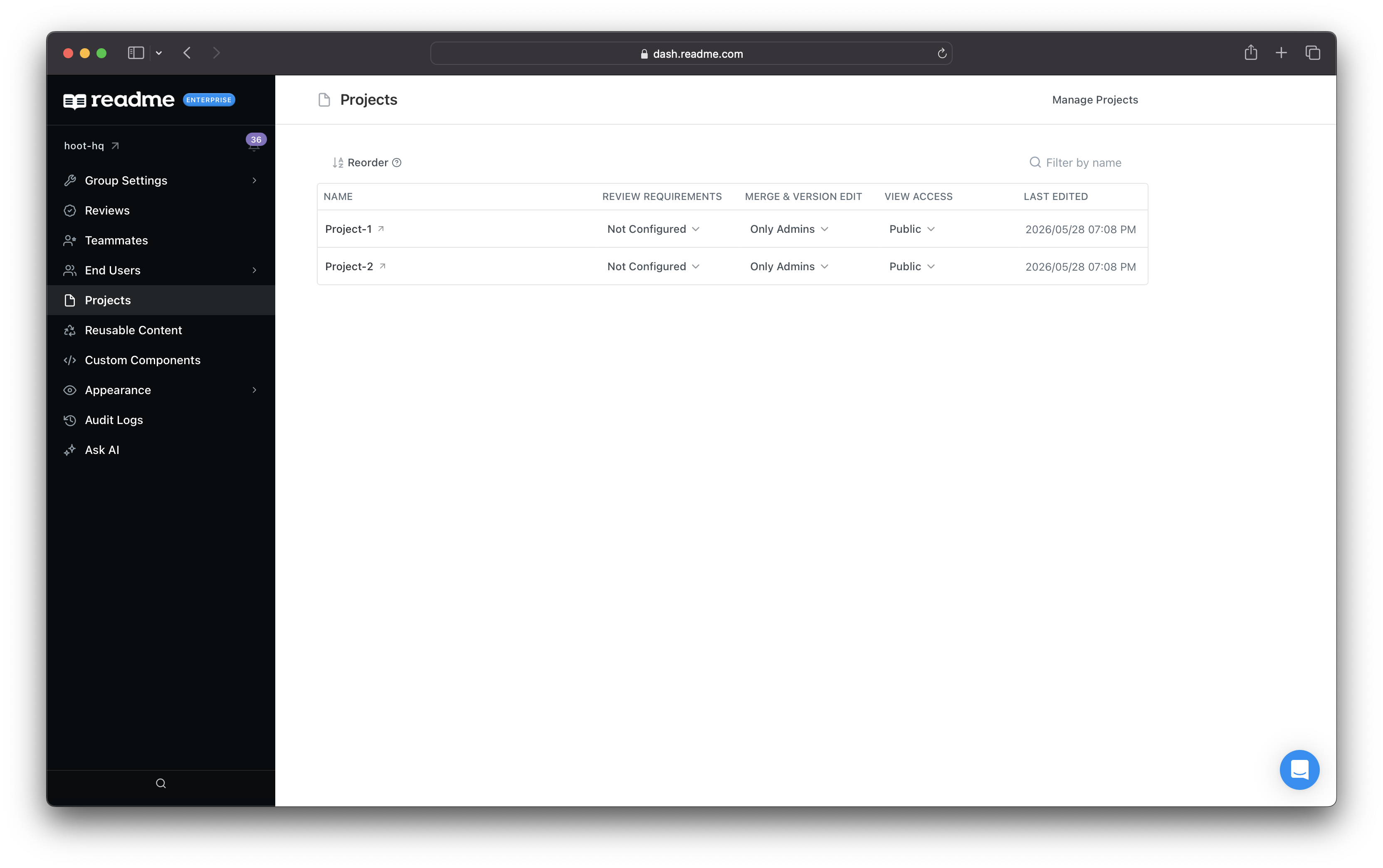
3. Click **Manage Projects** to pull up a list of all child projects you have access to.
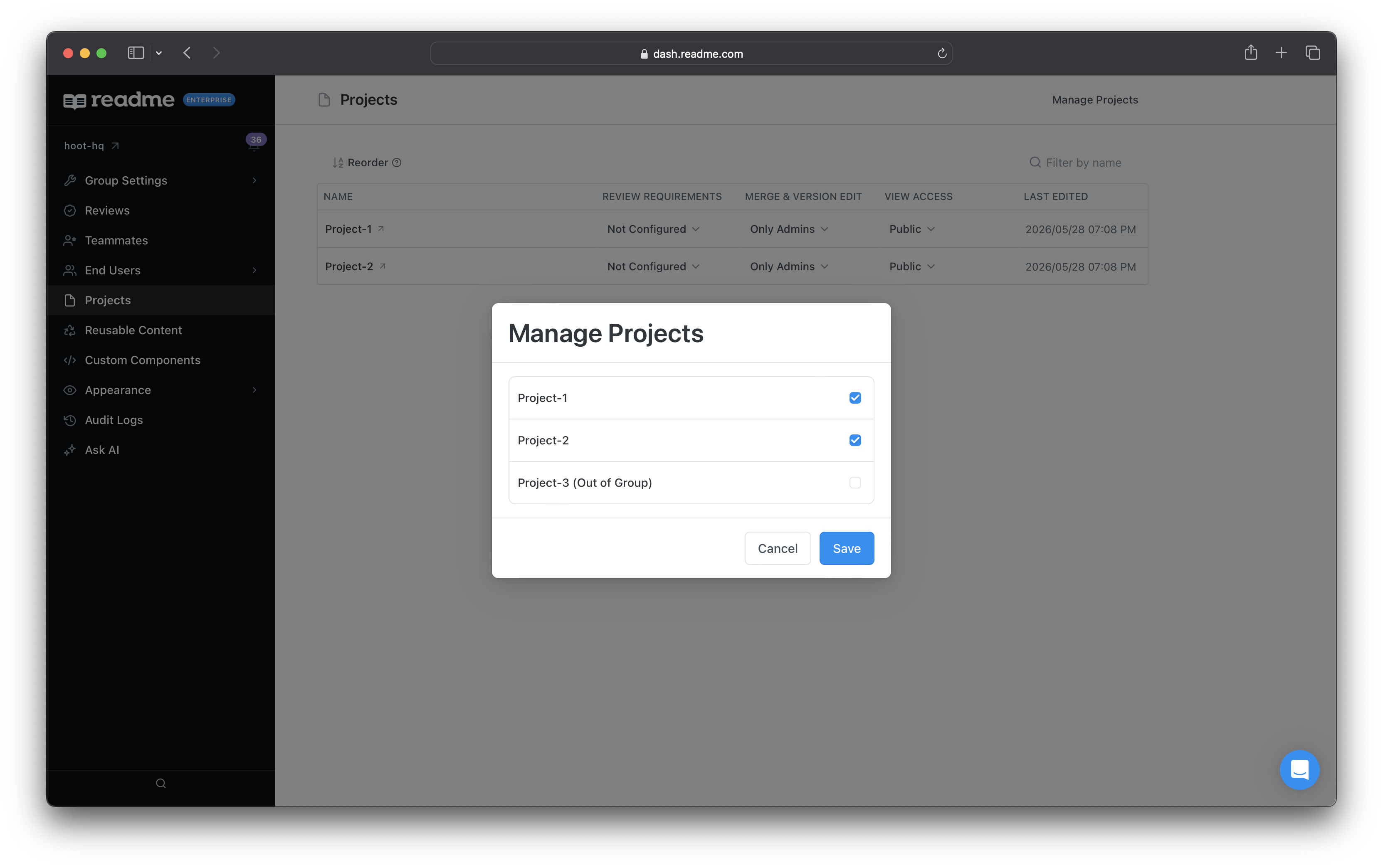
4. Check the box next to the project you want to add and click **Save** to add it to your Enterprise Group. Once added, it appears on the **Projects** page of your Enterprise Group.
***
## Remove a Project
To remove a child project, go to the **Projects** page in your Enterprise Group dashboard. Click **Manage Projects**, uncheck the box next to the project you want to remove, then click **Save **to remove it from your Enterprise Group.
***
## Specify Project Path Names
You can customize the URL structure for groups so that a project maps to a particular value.
By default, projects in a group map to a subdomain of the larger group domain. If your group's subdomain is `parent-test` and the child project's subdomain is `child-test`, a page URL maps to `https://parent-test.readme.io/child-test`.
If you customize the child path name to `custom-name`, that URL changes to `https://parent-test.readme.io/custom-name`. Navigate to the group custom domain view to set the child path names.
# Sibling pages
* [Overview](https://docs.readme.com/ent/docs/enterprise-group-overview.md)
* [Group Settings](https://docs.readme.com/ent/docs/group-settings.md)
* [Group Appearance](https://docs.readme.com/ent/docs/enterprise-design-settings.md)
* [Localization](https://docs.readme.com/ent/docs/language-support-and-localization.md)
* [Audit Logs](https://docs.readme.com/ent/docs/audit-logs.md)