---
updatedAt: 2026-11-01T23:00:39.000Z
agentTools:
siteIndex: https://docs.readme.com/llms.txt
siteSearch: https://docs.readme.com/agentSearch?query=term1%20term2
projectIndex: https://docs.readme.com/main/llms.txt
projectSearch: https://docs.readme.com/main/agentSearch?query=term1%20term2
---
# AI Dropdown
Links to ChatGPT, Claude, and Markdown export on every guide page.
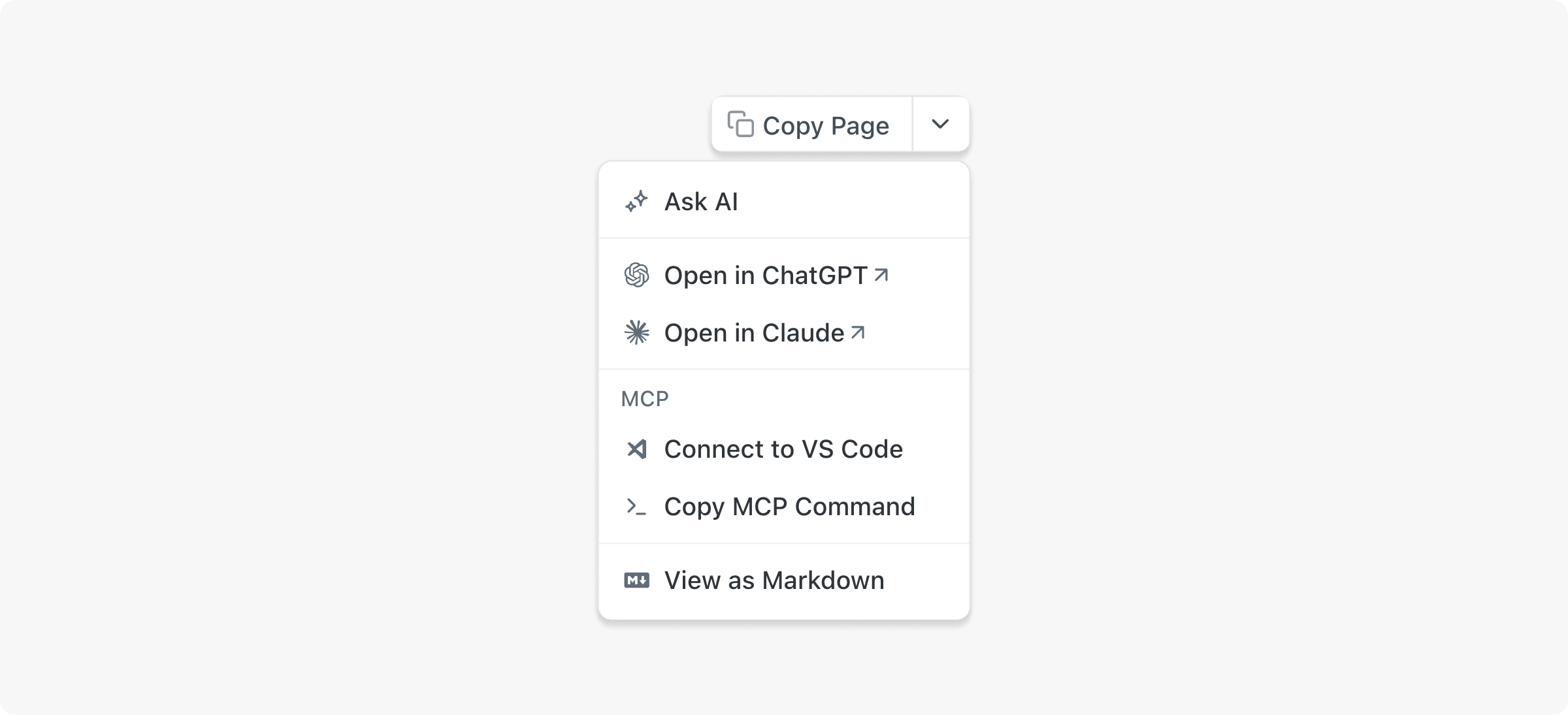
The AI Dropdown adds a menu icon to every guide page that lets readers send the full page content to **ChatGPT** or **Claude** in one click, opening a new tab with the page pre-loaded for follow-up questions or code generation. **Copy Markdown** and **View as Markdown** export the page content for use in any AI tool or IDE. This is separate from [Ask AI](https://docs.readme.com/main/docs/ask-ai), which answers questions without leaving your docs.
## Getting Started
1. Open **AI** → **AI Readiness** and find the AI Dropdown section.
2. Toggle **Show AI Dropdown** to **ON**.
3. Select which tools to include.
4. Click **Save**.
## Connect to Your MCP Server
When your project's [MCP server](https://docs.readme.com/main/docs/mcp) is on, the AI Dropdown also gives readers quick options to connect it to Cursor or VS Code, or to copy the MCP config for any other client. It's the easiest way for your users to find your MCP server without hunting for the URL.
## FAQ
The full page content is sent to the selected AI tool in a new tab. The user leaves your documentation site.
Yes. Toggle individual tools on or off in the AI Dropdown settings.
The AI Dropdown appears on guide pages only. It does not appear on API Reference pages or custom pages.
The AI Dropdown is available on all plans.
# Sibling pages
* [Restless by ReadMe](https://docs.readme.com/main/docs/restless.md)
* [Agent](https://docs.readme.com/main/docs/aiagent.md)
* [Linter](https://docs.readme.com/main/docs/linter.md)
* [Docs Audit](https://docs.readme.com/main/docs/docs-audit.md)
* [AI Writer](https://docs.readme.com/main/docs/github-ai-writer.md)
* [Ask AI](https://docs.readme.com/main/docs/ask-ai.md)
* [AI-Ready Docs](https://docs.readme.com/main/docs/ai-ready-docs.md)
* [MCP](https://docs.readme.com/main/docs/mcp.md)
* [AI Discoverability](https://docs.readme.com/main/docs/ai-discoverability.md)
* [LLMs.txt](https://docs.readme.com/main/docs/llmstxt.md)
* [ReadMe's MCP Server](https://docs.readme.com/main/docs/readme-mcp.md)