---
updatedAt: 2026-09-15T21:46:47.000Z
agentTools:
siteIndex: https://docs.readme.com/llms.txt
siteSearch: https://docs.readme.com/agentSearch?query=term1%20term2
projectIndex: https://docs.readme.com/main/llms.txt
projectSearch: https://docs.readme.com/main/agentSearch?query=term1%20term2
---
# Sync with GitLab
Connect your project to a GitLab repository for bi-directional sync, including how protected branches behave.
## How to Set Up Bi-Directional Sync with GitLab
### Prerequisites
* You will need a GitLab account.
* When syncing to a repository in an organization, you will need permission to create an **empty repository**.
### Set Up
1. Navigate to **Settings** > **Git Connection** page.
2. Select GitLab.
3. If you haven’t already, create an empty repository in [GitLab](https://docs.gitlab.com/user/project/)—make sure to uncheck the option to create a README.
4. **Sync** with your provider and authenticate.
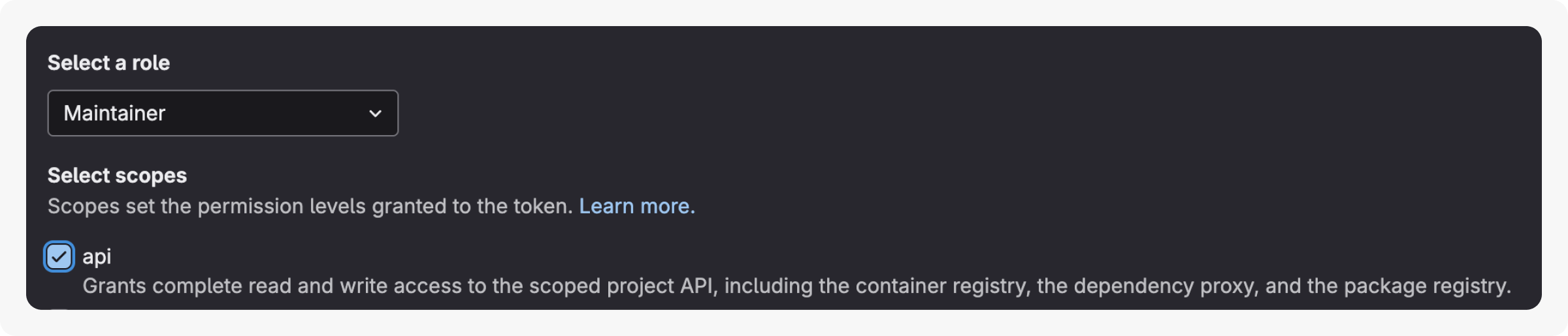
5. Create a personal access token with the `api` scope. You can delete this token after completing setup. ReadMe uses this token once during setup to create the webhook on your repository and it is not stored.
1. For project access tokens, you will need the Maintainer role. However, this is not recommended as there’s a cap on the number of project access tokens created, depending on GitLab pricing.
6. Add the access token to ReadMe and click on the webhook icon to create the webhooks we need to keep your content in sync with GitLab.
***
## Changing Repositories
If you need to connect your ReadMe project to a different repository, you must disconnect the original repository using the trash icon.
1. Within ReadMe, disconnect the project via the trash icon.
2. Within GitLab, create a new empty project.
3. Return to ReadMe and select the project you'd like to sync to.
***
## Protected Branches
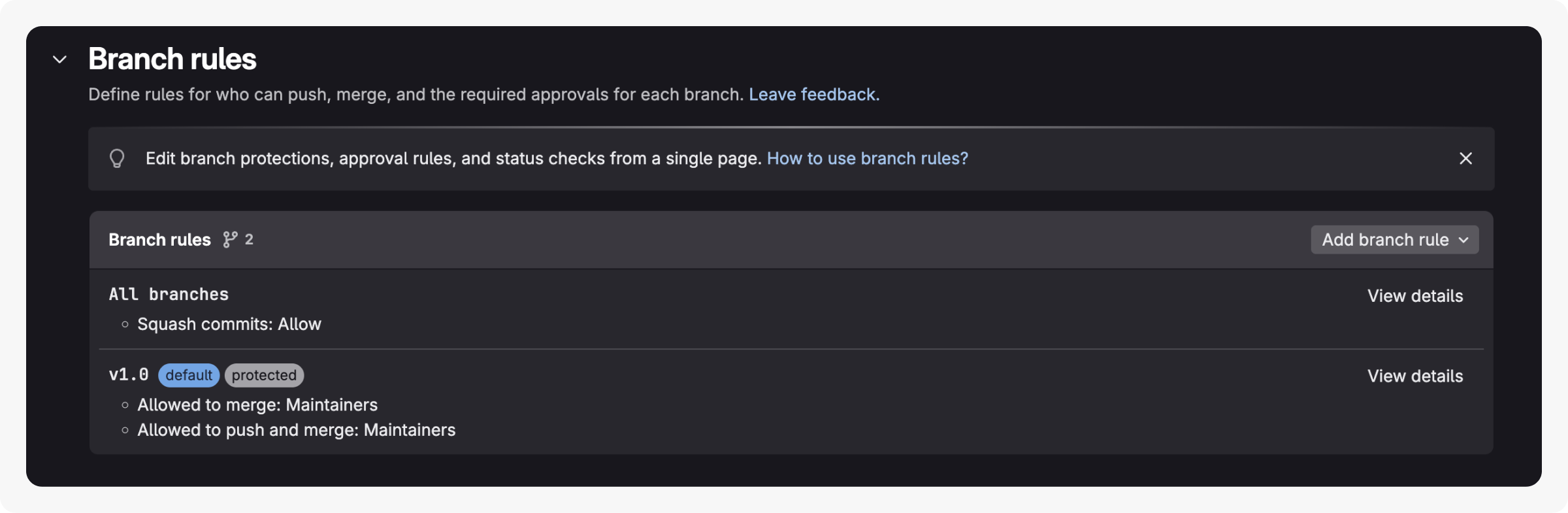
All branch rules should allow the user (who is syncing to GitLab from ReadMe) to push.
***
## FAQ
ReadMe requests access to:
* `read_api` for listing projects
* `read_user` and `read_profile` to display user information
* `read_repository` to sync content in GitLab to ReadMe
* `write_repository` to sync content in ReadMe to GitLab
# Sibling pages
* [Sync with GitHub](https://docs.readme.com/main/docs/sync-with-github.md)
* [Sync with Bitbucket](https://docs.readme.com/main/docs/sync-with-bitbucket.md)
* [Documentation Structure](https://docs.readme.com/main/docs/documentation-structure.md)