

Preview Mode & API Method Styles
November 14, 2025
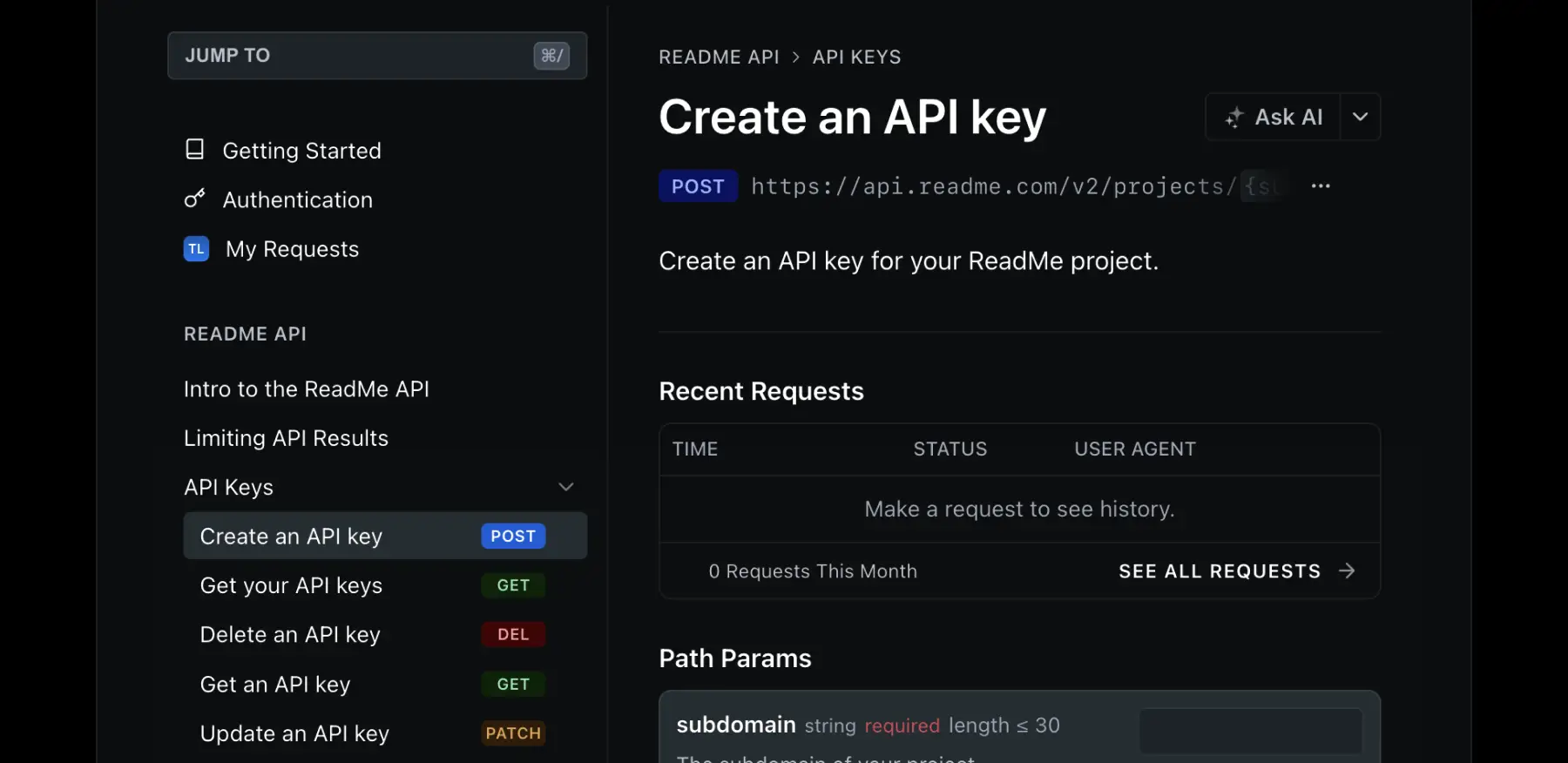
We’ve added a new style for method badges and a convenient Preview Mode. You can now toggle Preview Mode with Ctrl + . to instantly view your docs exactly as a user would. To update your method badge look, head to Settings → API Reference → Method Badge Style.
New Features & Improvements
Admin
- Rolled out a new UI for Manage Team and Manage Plan.
API Designer
- Users can now edit request body examples and custom code samples.
Branches
- Added the option to mark branches as “Ready for Review.”
Docs
- Added a new option to hide method badges entirely.
- Added IDs to endpoint parameters, allowing users to link directly to specific parameters.
Git Sync
- Added support for syncing force pushes.
- Improved error messages when encountering installation issues.
MCP Server
- Added support for private projects.
Bugs Eaten (by Owlbert) 🐛
Admin
- Fixed an issue where certain modals could block the admin UI.
- Fixed a crash that could occur on the dashboard for Enterprise projects.
- Resolved UI glitches regarding duplicate scrollbars and broken links on the Recipes page.
AI Linter
- Fixed an issue where the AI Linter could incorrectly report a check as out-of-date.
Ask AI Dropdown
- Fixed an issue where links to third-party LLMs in the Ask AI dropdown weren’t working.
- Fixed a bug where HTML comments were appearing in Markdown content.
API Designer
- Fixed a bug where removing custom code samples would not update the UI.
- Fixed a display issue with long code examples.
Editor
- Fixed an issue where highlighting to delete a section wasn’t working as expected.
- Fixed a bug where users couldn’t leave the history view when editing Changelog pages.
- Resolved multiple issues with editing lists and JSX inside table cells.
- Fixed an issue where Custom Pages were not validating MDX.
- Fixed an issue where the sidebar could be out of sync
- Fixed an issue where headings in Components and Reusable Content were missing from the Table of Contents.
- Fixed a bug where modifying Reusable Content would strip whitespace from its name.
Docs
- Fixed an issue where stale response examples appeared when navigating to new endpoint pages.
- Resolved multiple issues where search was not accessible on mobile, didn't filter correctly by version on Enterprise, or didn’t take up the full screen.
- Fixed an issue where
Cmd+K(open search) wouldn’t work when Ask AI was enabled. - Fixed an issue where navigating to anchor links would sometimes fail.
- Fixed an issue where the Table of Contents would not stick on scroll in some projects.
- Fixed a bug where the wrong version could be displayed.
Docs Audit
- Fixed an issue where scores were not showing the correct decimal precision.
MCP Server
- Fixed an issue where
searchandfetchtools weren’t showing up for projects with custom domains.