

For AI agents: the docs index is at https://docs.readme.com/main/llms.txt. To search every page by keyword, fetch https://docs.readme.com/main/agentSearch?query=term1%20term2 with your own terms. Results come back most relevant first. The index for every project on this site is at https://docs.readme.com/llms.txt. To search every project on this site, fetch https://docs.readme.com/agentSearch?query=term1%20term2 with your own terms. Append .md to any documentation page URL to get its markdown version.
Jump to Content
ReadMeReadMe
GuidesEnterpriseRecipesAPI ReferenceChangelogDiscussions
Log InReadMe
Guides
Log In
GuidesEnterpriseRecipesAPI ReferenceChangelogDiscussions

Overview

  • ReadMe Enterprise
  • Enterprise Quick Start
    • Manage Your Group
    • Build Your Projects
    • Add Your Content
  • Security Overview
  • Migrate to ReadMe
  • Integrate ReadMe Enterprise into Your Workflow
  • Analytics
  • Upgrade to Enterprise

Group Management

  • Overview
  • Group Settings
  • Group Appearance
    • Global Landing Page
    • Custom HTML/CSS/JS
  • Manage Projects
  • Localization
  • Audit Logs

User Management

  • Overview
  • Authentication & Access
  • Single Sign-On (SSO)
    • Okta
    • Google SAML
    • Microsoft Entra
    • Auth0
    • JumpCloud
    • Groups Mapping
  • Teammates and Roles
  • End User Access

Workflow

  • Overview
  • Connect Your Codebase
    • GitHub Enterprise Sync
    • GitLab Enterprise Sync
    • Connection Configuration
  • Manage Your Content
  • AI
  • Global Reusable Content
Powered by 

    Smartling

    Smartling

    Smartling is a web proxy that allows content to be swapped out before the content is received by the end-user.
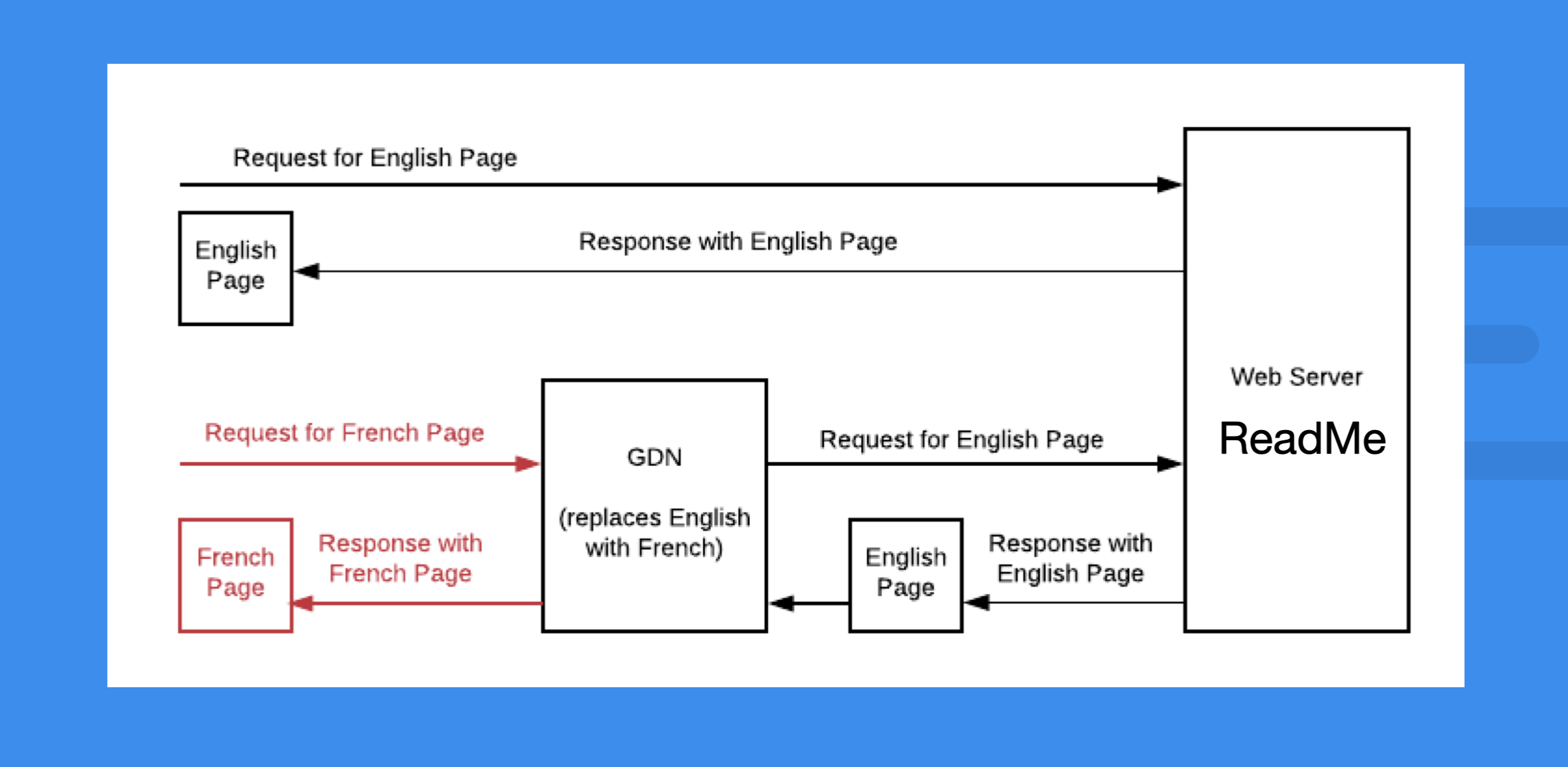
    2458

    To learn more about how Smartling would work with your documentation, please check out their blog about how the global delivery network works.

    Updated 2 days ago


    ReadMe Enterprise
    Did this page help you?
      • Smartling