

AI Translations for Enterprise
November 12, 2026
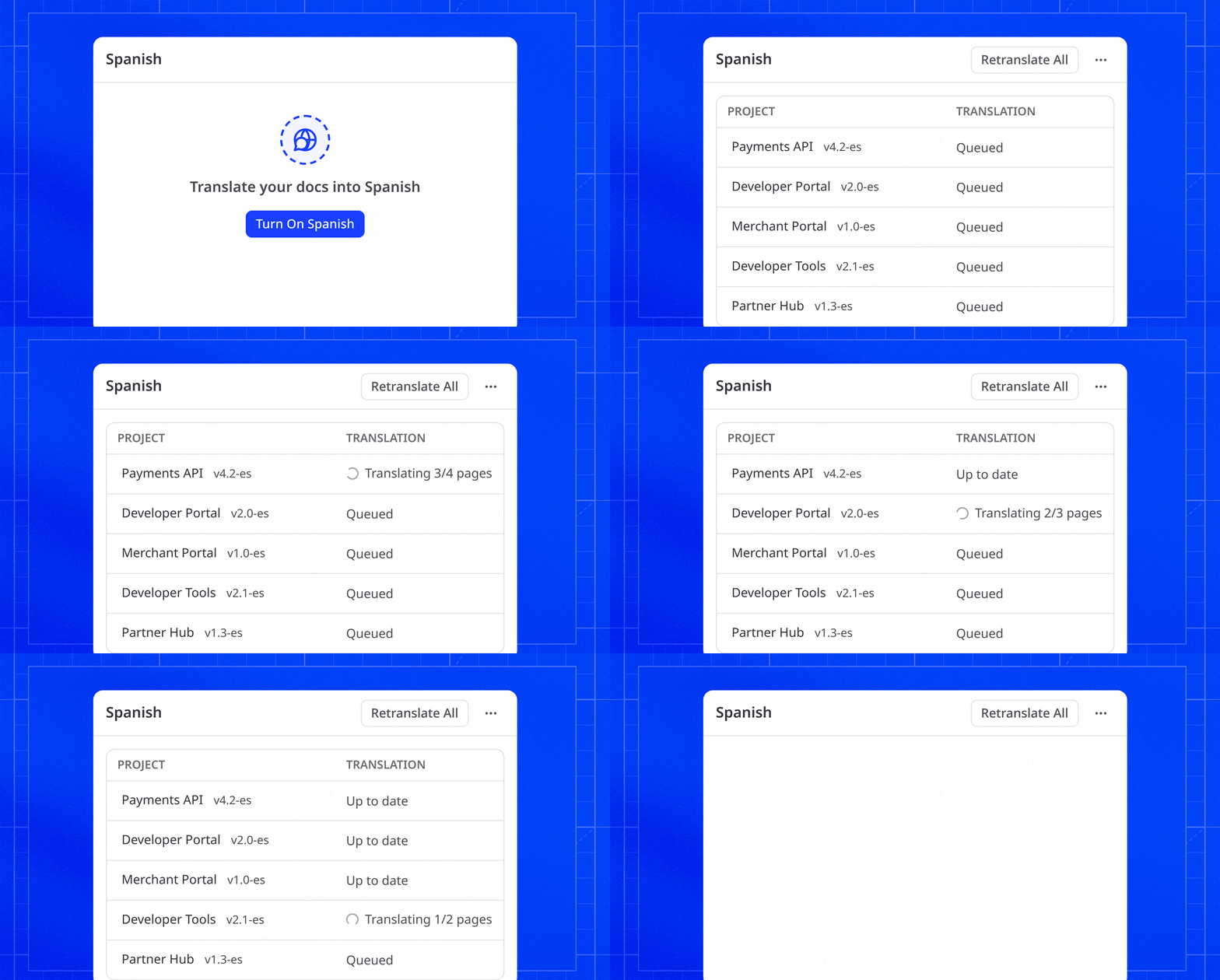
AI Translations is now available to every enterprise group. Pick a language, choose your projects, and click Turn On. ReadMe translates every page across those projects, from guides to API reference to reusable content, and keeps each translation current as your docs change.
New Features
Translations
- AI Translations is now available to every enterprise group from Translations in the Enterprise Dashboard. Languages can be unlocked by your Customer Success Manager. Read the announcement. Once unlocked, select a language, keep All projects or pick some, and click Turn On to translate every page in those projects.
- The Translations page has been redesigned. Languages are listed on the left with a status line each, and the selected language shows a table of its projects with run status, open reviews, and a link to each version.
- Review Before Publishing, AI Context, and Do Not Translate are now one Settings form above the language list, saved together. A Languages picker sets whether Review Before Publishing and AI Context apply to every AI language or only the ones you pick.
- Switching a language from Manual to AI now lets you pick which projects get it before the first translation run starts.
- The translation status in the editor footer is now a language menu (for example, German · AI) with the page's status, Re-translate or Retry and a link to Translation Settings.
Admin
- You can now set scopes on API keys: Full access, Read and write (content only), or Read only.
Improvements
AI
- Long AI Agent chats on Claude and GPT models now compact automatically. The agent shows "Compacting conversation…" while it summarizes earlier messages, then keeps working from the current page text.
- Branches opened by the GitHub AI Writer and the Slack AI Writer now credit the person who asked, shown as "Name via AI Writer", or by their GitHub or Slack handle when their email isn't on the project.
Editor
- Branch actions (merge, update, delete, copy name, and View in GitHub) are now in the More actions menu in the top navigation, so they're available from anywhere in a branch.
- In a branch's review diff, Next Change now jumps to the next changed block instead of the next changed line, in both Rendered and Code views.
Fixes
Editor
- Lists without blank lines between items are now as compact in the editor as on the published page.
- Typing near the bottom of a page keeps the cursor visible above the Edit with AI button.
- The
[page link menu in the editor stays on screen when opened near the right edge. - In the API Designer, adding
x-internal: trueto an endpoint from the Code tab now hides its page, and removing it shows the page again.
AI
- Edit with AI can now change Card and Accordion titles, and keeps blockquotes intact when a selection crosses into another block.
- Applying an AI Agent edit to a page with unsaved changes now shows the page with the agent's edit.
- Fix All in the Linter and Docs Audit now addresses every finding, combines the corrections for each page, and explains anything it can't fix.
- The floating Ask AI input stays below the mobile navigation menu.
Docs
- Search on projects with large APIs now ranks guides alongside endpoints that match the same terms.
- Angled table of contents entries respond to hover and clicks.
- Segmented, Switch, and Slider light/dark toggles are now readable on solid, gradient, and overlay headers.
API Reference
- Empty required
oneOfandanyOfparameters in the API Explorer now show the same validation outline as other required parameters.
Docs Audit
- Running your first Docs Audit from an enterprise child project now sets up the starter lint rules on the group, so the audit runs. This requires group admin access.
- Page names in Docs Audit results now open the page in the editor.
- Docs Audit now catches broken links on translated projects where the first part of the path matches both a language and a section.
Git Sync
- Linking a repository to a child project from the Enterprise Dashboard now pushes all of that project's branches to your repository, including branches that exist only on the child.
- The review diff sidebar now lists pages in the order set by
_order.yaml, and includes pages moved to another category or parent with no content changes.
Translations
- The Changelog on AI-translated versions of git-backed projects now shows your posts.