

Docs Audit
Score your entire documentation against your style guide in one run.
Docs Audit runs your Linter rules against every page in your project in a single pass, so you can find outdated content, broken links, and style inconsistencies across your entire site without reading every page yourself. Results are organized by page and scored against your existing rules — no separate setup. Click into any page to see specific issues, then fix them in the editor or with the Agent. Enterprise customers can schedule recurring audits and export results as CSV.
| Linter | Docs Audit | |
|---|---|---|
| Scope | Single page | Entire project |
| When it runs | While you edit | On demand or on a schedule |
| Best for | Real-time feedback | Big-picture quality analysis |
Getting Started
- Open your project in ReadMe.
- Go to Docs Audit.
- Click Run Audit.
- Review results by page. Click into any page to see issues.
- Fix issues in the editor — the Linter gives real-time feedback as you edit.
What results look like
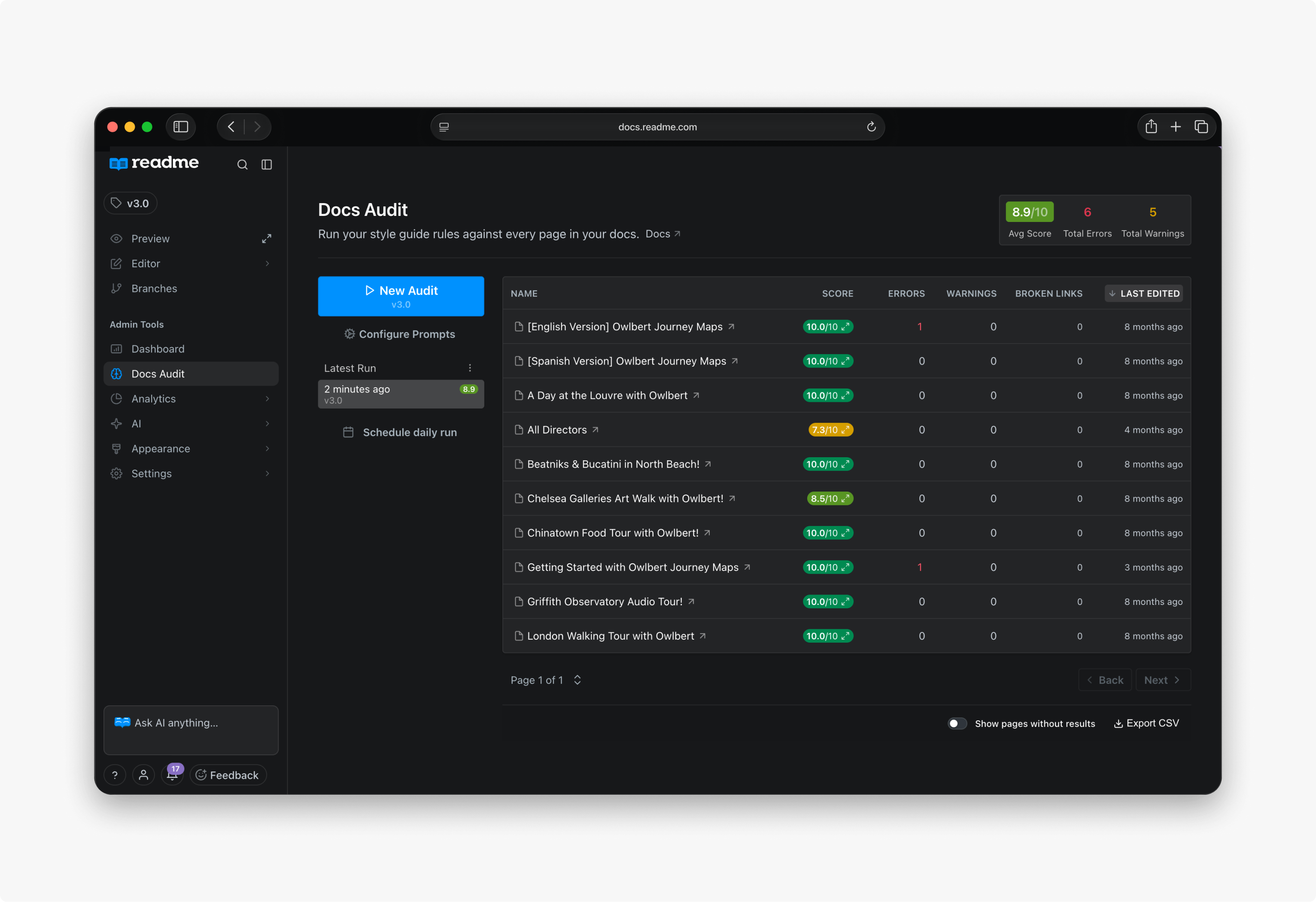
When you run an audit, you get a scored list of every page in your project. Each page shows how it performed against your style guide, how many errors and warnings it has, and whether it contains broken links.
For example, an audit might reveal that:
- Your "Authentication" guide scores 92% on style but has 3 broken links to endpoints you renamed last month.
- Your "Quickstart" page has 0 errors but 7 warnings for passive voice and hedging language.
- 12 pages across your site still reference your old product name after a rebrand.
- Your API Reference pages are clean, but your tutorial section has inconsistent heading styles.
Click into any page to see the specific issues. From there, you can edit directly in the editor (where the Linter gives real-time feedback) or use the Agent to fix issues automatically.
Enterprise customers can schedule audits to run weekly or monthly and export results as CSV for team review.
Tracking Quality Over Time
A single audit tells you how your documentation scores today. The Past Runs list keeps your earlier audits, each labelled with its date, the average score it produced, and the version it ran against. Select any run to load its results, so you can see whether your documentation is improving against your style guide rather than only reading the current number.
Every run records an average score out of 10, total errors, and total warnings across the project, alongside the per-page breakdown. Use Export CSV to pull a run out for reporting.
Audit history is available on Enterprise plans. It is not part of the Pro preview, which covers running an audit and reading its results.
FAQ
Does Docs Audit require separate configuration?
No. It uses the same rules you configure in the Linter. Set up your style guide rules there, and Docs Audit applies them across your entire project.
What plan do I need?
Docs Audit is available on Enterprise plans, with a preview on Pro. Enterprise plans add scheduled recurring audits, CSV export, and audit history for comparing runs over time. Contact us to learn more.
Updated 29 days ago