

Notifications
Stay informed on branch review activity across your projects
Get in-app alerts when a branch is marked ready for review, teammate approves, or branch is merged.
| Starter | Pro | Enterprise |
|---|---|---|
Notification Feed
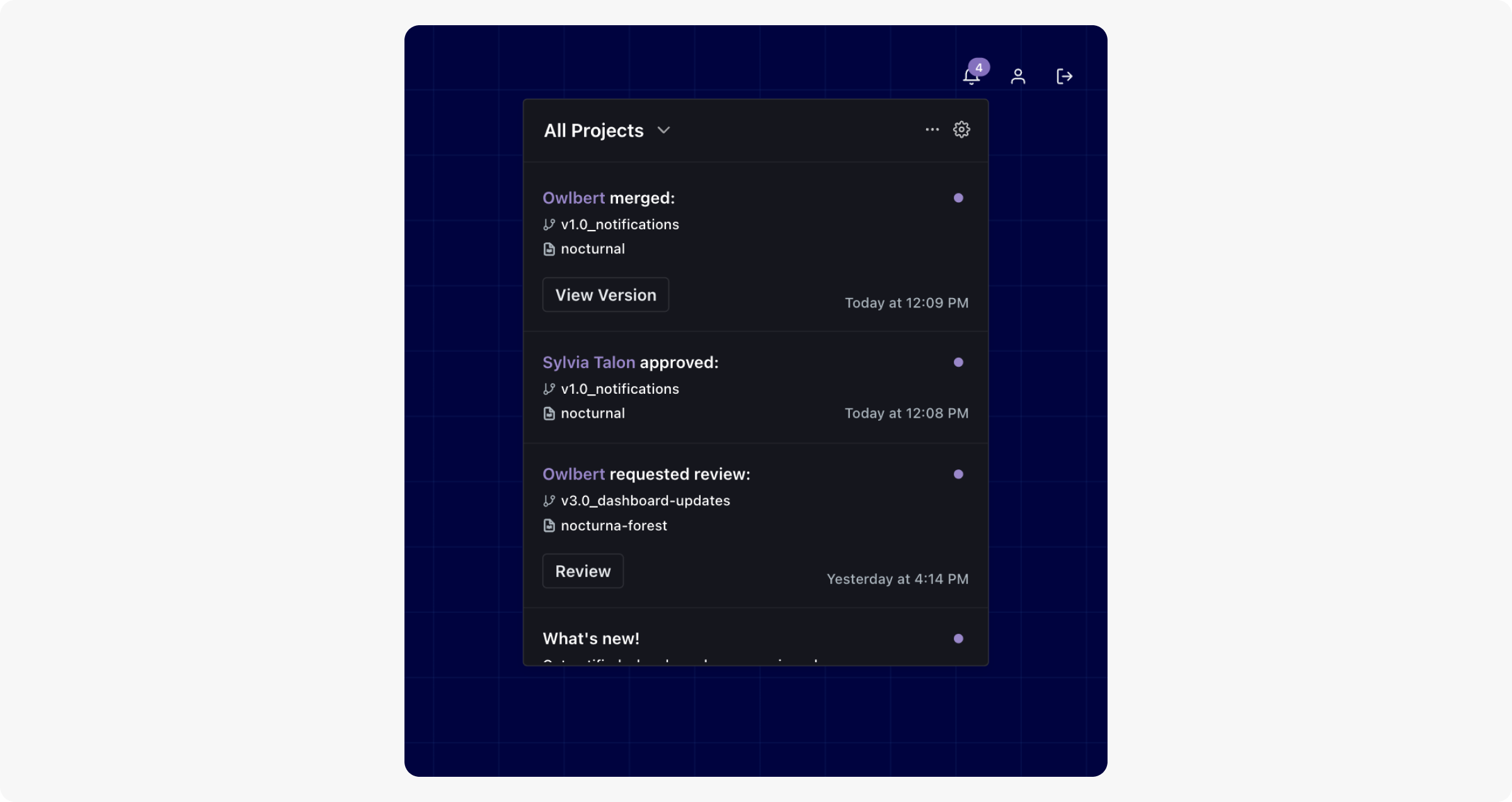
Find your notifications on your Project list page, Project Dashboard, and Group Dashboard if you're an Enterprise Group. The main notifications view shows activity across all projects by default. Use the project filter to narrow notifications to a specific project.
Notification Types
ReadMe sends notifications for the following review events:
| Event | Branch Owner | All Teammates (Admin, Editor, Viewer) |
|---|---|---|
| Ready for Review | ||
| Branch Approved | ||
| Branch Merged |
Preferences
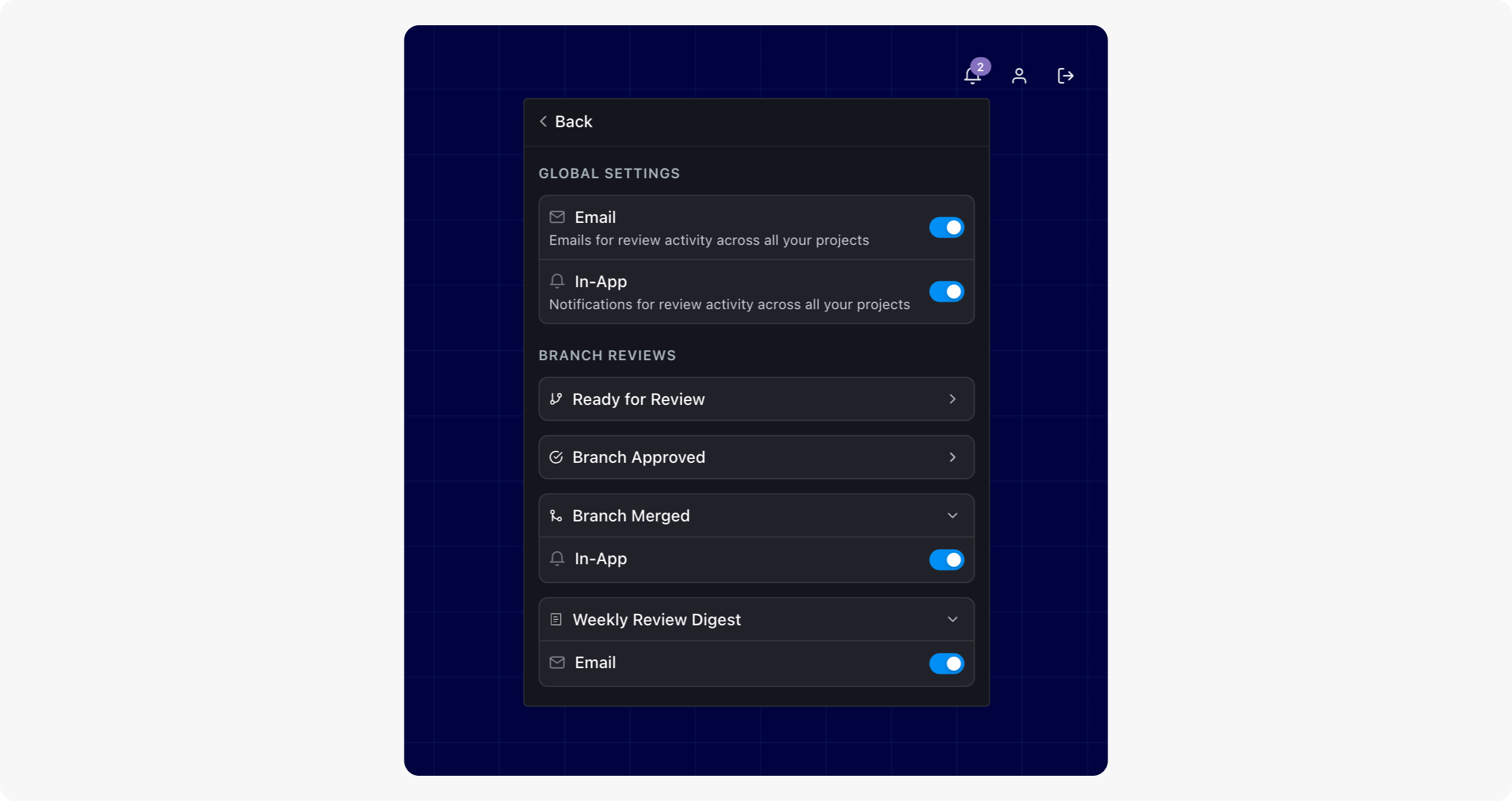
Find notification preferences directly in the notification modal. Global settings control whether you receive in-app or email notifications. You can also enable or disable in-app alerts for individual review event types.
Weekly Review Digest
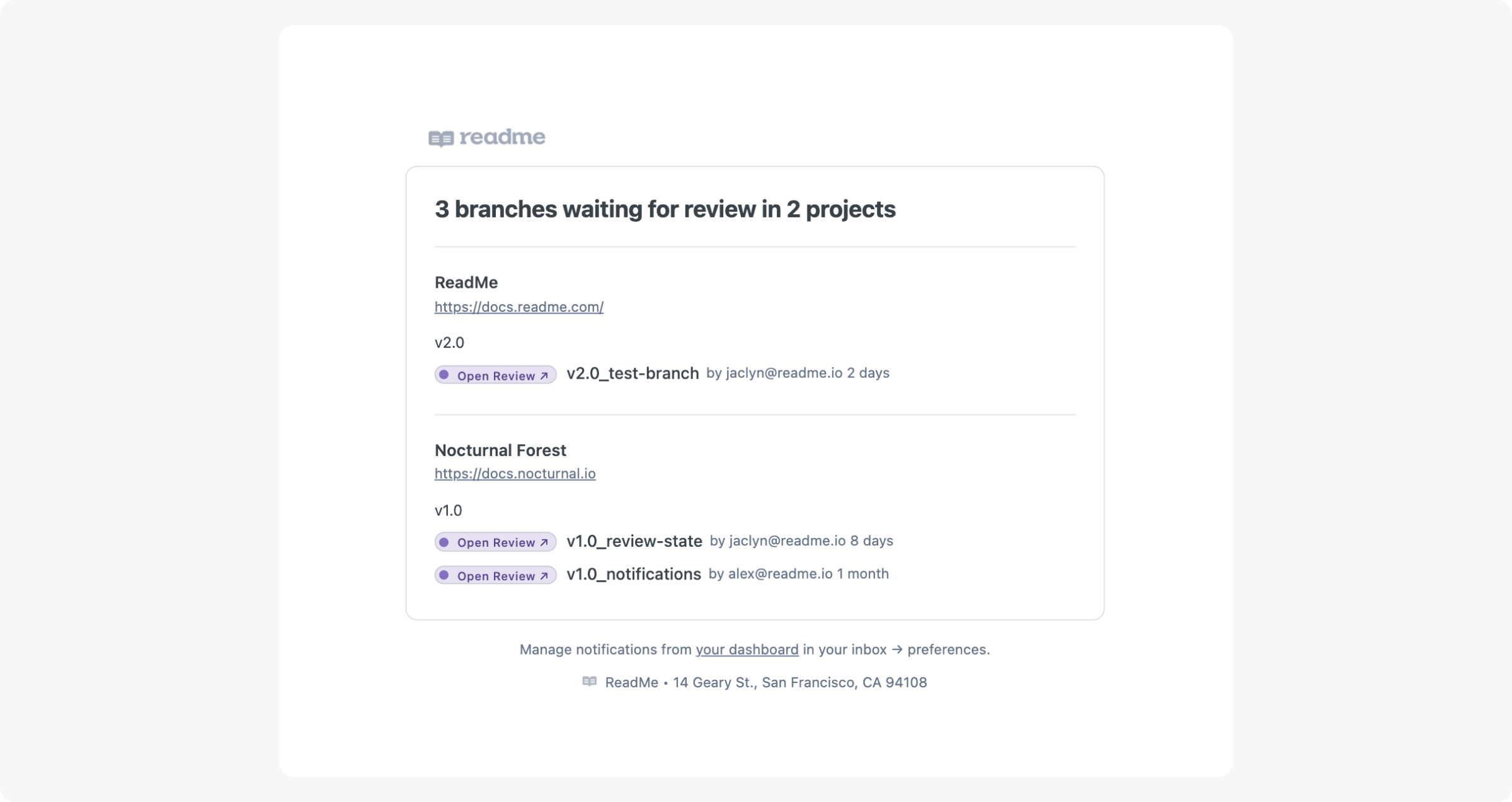
The Weekly Review Digest is a weekly email summary of all branches currently marked In Review. Use it to stay on top of outstanding reviews and keep your team aligned on what's pending. Enable or disable the digest from your notification preferences.
FAQ
Who do Emails & In-App notifications go to?
Notifications are per user. Viewers, editors, and admins each receive notifications for the projects they have access to.
When are weekly emails sent?
The Weekly Review Digests are sent every Monday at 9AM UTC.
Why am I not receiving the Weekly Digest email?
Weekly emails are sent every Monday at 9AM UTC. If you aren't receiving them, first check that Global Emails and Weekly Digest are toggled on in your notification preferences. If you're still not receiving emails, contact [email protected].
Updated 5 months ago