

LLMs.txt
Give AI agents a map of your docs with an llms.txt file that ReadMe generates and keeps current.
LLMs.txt is a Markdown file at the root of your hub, /llms.txt, that gives AI agents and assistants like ChatGPT, Claude, Cursor, and Gemini a map of your documentation. ReadMe generates it from your docs structure and updates it whenever your docs change, so there's nothing to maintain.
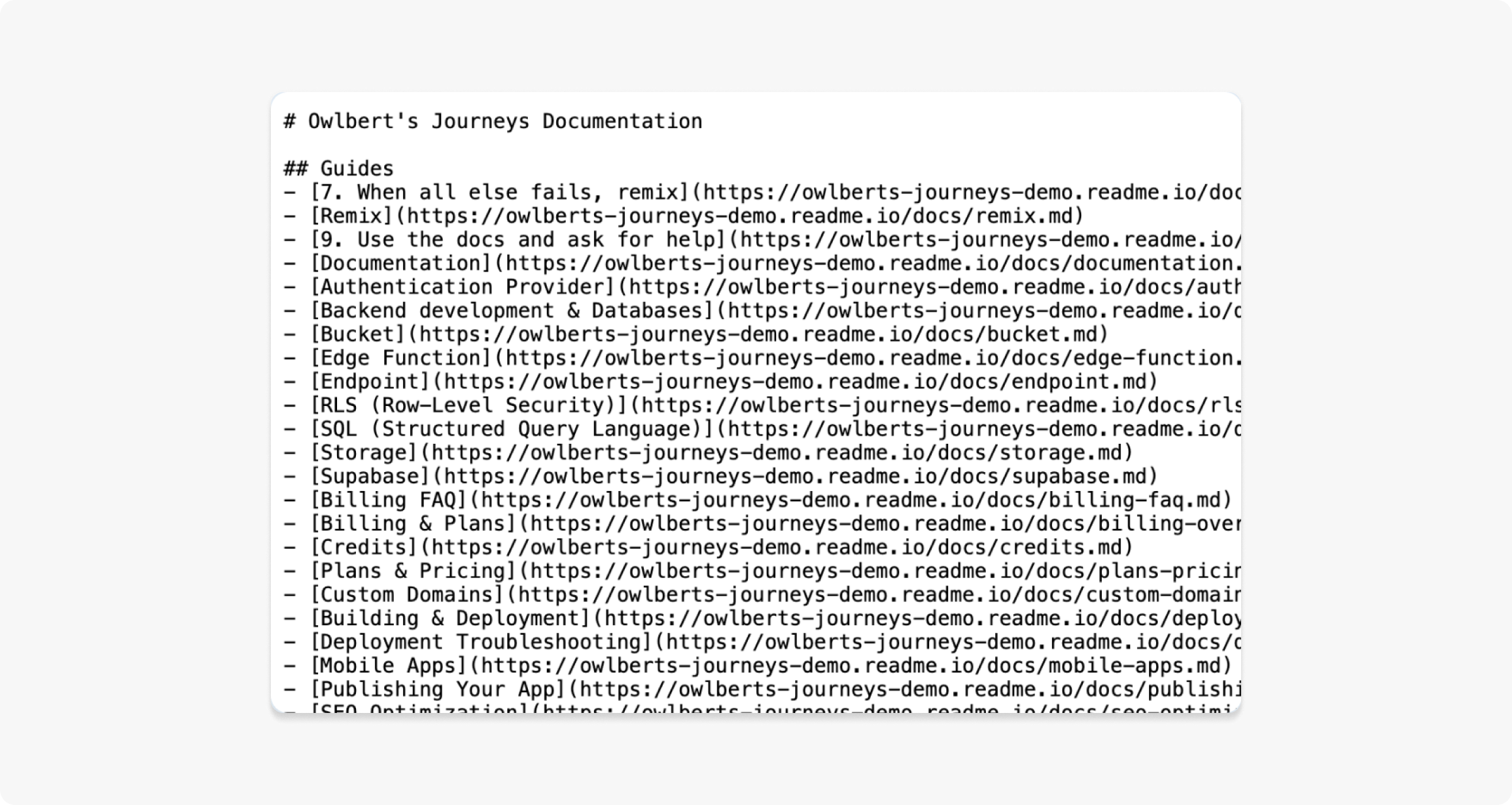
The generated file includes your project title, a summary, and every published page grouped under headings that mirror your navigation.
Whether an agent requests the file is up to the agent, so think of LLMs.txt as control over what an agent finds when it looks, not a guarantee that it will. For a live connection that lets agents call your API spec directly, turn on your MCP Server. Agents that fetch your pages directly get clean Markdown through Markdown for Agents. AI-Ready Docs compares every surface ReadMe offers for agents.
Getting Started
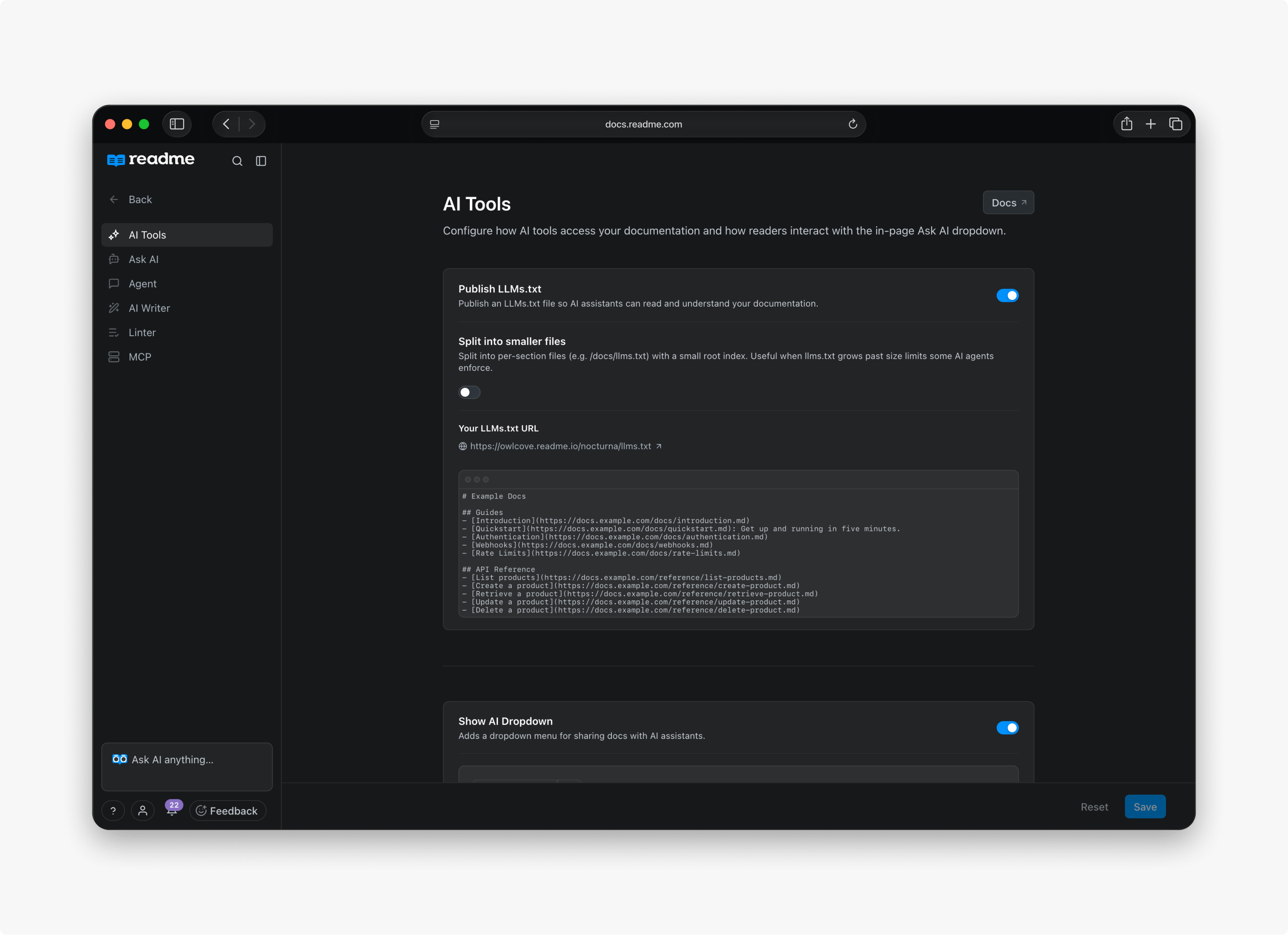
LLMs.txt is enabled on all projects by default. To change the setting, go to AI → Discoverability and find LLMs.txt under Content Discoverability.
When enabled, your file can be viewed at https://your-project.readme.io/llms.txt.
Custom LLMs.txt
Your llms.txt file will be pulled from the root of your repo, and from each section directory as well (for example, docs/llms.txt).
When using a custom file, your llms.txt will no longer be updated automatically as you make content changes. It can be disabled at any time to resume using automatically updated llms.txt files.
Agent-Friendly 404s
When LLMs.txt is enabled, agents that request a non-existent .md page (e.g., /docs/does-not-exist.md) receive a markdown 404 response instead of an HTML error page. The response includes agentTools front matter with a link to your project's llms.txt index and search URL, so the agent can recover and find the right content.
Agents also tend to guess URLs one level up from a missed page. ReadMe handles these guesses automatically:
| Guessed URL | Redirect |
|---|---|
/docs.md | /docs/llms.txt |
/reference.md | /reference/llms.txt |
/docs/<category>.md | /docs/<category>/llms.txt |
When LLMs.txt is off, these URLs fall back to the normal HTML 404 page.
FAQ
Can I customize the output?
Yes. Enable the custom llms.txt feature from the AI Discoverability page.
How often does it update?
Automatically whenever your documentation changes. No manual steps required.
Does it include hidden pages?
No. Only published, visible pages are included.
What plan do I need?
LLMs.txt is available on all plans.
Updated 18 days ago