

Discoverability
Make your documentation discoverable and accessible to AI agents and the assistants your readers bring with them.
Discoverability controls how easily AI agents and assistants can find, crawl, and understand your documentation. ReadMe crawls a sample of your published pages and scores your project against the Agent-Friendly Docs spec, so you can see at a glance where your docs stand and which switches to flip to improve the score.
Every setting on this page has a sensible default. Turn them on to expose more of your docs to agents, or leave them off if you'd rather keep a lower profile.
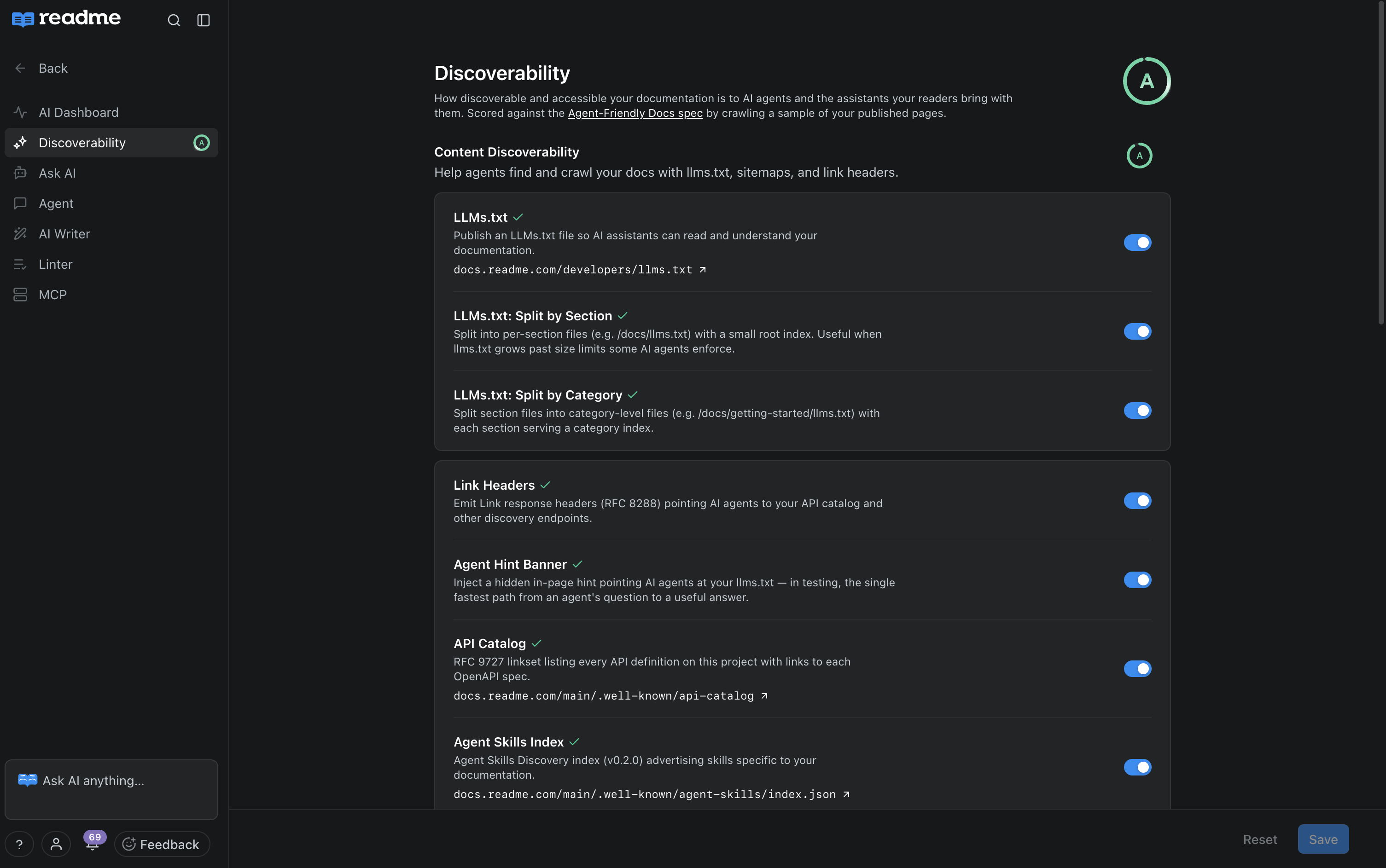
Getting Started
- Open your project in ReadMe.
- Go to AI → Discoverability.
- Review your current grade and the individual settings under each group.
- Toggle any setting on or off. Changes take effect on your published site.
Enterprise projects inherit these settings from their group by default. Change any of them on the project to override, or click Restore Parent Default on a setting to match the group again.
Content Discoverability
Help agents find and crawl your docs with llms.txt and link headers.
- LLMs.txt: Publishes an
llms.txtfile at the root of your docs (for example,your-project.readme.io/llms.txt) so AI assistants can read and understand your documentation. - Custom LLMs.txt: Serve llms.txt from your Git repo instead of the generated one. Commit an llms.txt at your repo root (and/or section root like docs/llms.txt). When using a custom file, your llms.txt will no longer be updated automatically as you make content changes. It can be disabled at any time to resume using automatically updated llms.txt files.
- LLMs.txt: Summarize Index: Links each section and category file from
llms.txtinstead of listing every page to accomodate the size limits some AI agents require. Section files (/docs/llms.txt) and category files (/docs/getting-started/llms.txt) are always available. - Link Headers: Emits
Linkresponse headers (RFC 8288) pointing AI agents to your API catalog and other discovery endpoints. - Agent Hint Banner: Promotes faster useful agent answers by pointing AI agents at your
llms.txtfrom a hidden in-page hint and theagentToolsfront matter on markdown pages. - API Catalog: Publishes an RFC 9727 linkset at
/.well-known/api-cataloglisting every API definition on this project with links to each OpenAPI spec. - Agent Skills Index: Publishes an Agent Skills Discovery index (v0.2.0) at
/.well-known/agent-skills/index.jsonexposing skills specific to your documentation.
Content Signals
Control how AI companies may use your content — for training, search indexing, and prompt context.
| Signal | What "Allow" means |
|---|---|
| Model training | AI companies may include your docs when training models. |
| Search indexing | AI-powered search engines may index this content. |
| Prompt context | Agents may pull this content into conversations as prompt context. |
Set each signal independently. Signals are advisory — they tell well-behaved crawlers what you allow.
Markdown Availability
Serve clean Markdown so agents ingest pages without parsing HTML.
- Markdown for Agents — When an agent sends
Accept: text/markdown, ReadMe returns your docs as Markdown instead of HTML. HTML still ships by default for browsers.
Content Structure
Expose how your pages relate to each other so agents can follow the shape of your documentation.
- Show Sub Pages — Appends a list of child page links to each page's Markdown response so agents can crawl deeper.
- Show Sibling Pages — Appends a list of sibling page links so agents can move laterally between related pages.
- Show What's Next — Appends the author-curated "What's Next" links from page frontmatter to the Markdown response.
MCP
Let AI agents connect to your docs as tools — via a hosted MCP server and in-browser WebMCP. For the full MCP configuration surface (auth, custom tools, enabled routes), see MCP.
- MCP Server Card — Publishes an SEP-1649 Server Card at
/.well-known/mcp/server-card.jsonadvertising your project's MCP server. - WebMCP Tools — Exposes four tools on every docs page via
navigator.modelContext: search, navigate, read the current page, and try an API endpoint. In-browser AI agents can call them directly.
Authentication and Access
Use this setting when readers must sign in with OAuth (an authorization standard that lets an application request access without sharing a password) before they can view your docs. OAuth discovery tells AI agents where to find the OAuth endpoints they need before requesting protected documentation. It does not sign an agent in or change who can access your docs.
Set Discovery Type to choose whether your site publishes OAuth discovery information:
| Option | Behavior |
|---|---|
| None | Do not publish OAuth discovery information. Requests to OAuth discovery endpoints return 404 Not Found. |
Keep Discovery Type set to None when your docs are public or when AI agents do not need to authenticate to access them.
FAQ
How is my grade calculated?
ReadMe crawls a sample of your published pages and scores them against the Agent-Friendly Docs spec. Each group in Discoverability contributes to the overall grade — turning on more settings within a group raises that group's score.
How do Enterprise group defaults work?
On Enterprise, every setting on this page defaults to your group's value. Override any setting on a project to change it for that project only, or click Restore Parent Default to match the group again.
Will turning these on affect my human readers?
No. HTML still ships by default. Markdown responses, llms.txt, and .well-known endpoints are only returned to clients that ask for them (for example, via the Accept: text/markdown header or by requesting the file directly).
What plan do I need?
Discoverability is available on all plans. Enterprise customers can manage defaults at the group level and override them per project.
Updated 29 days ago