

Reviewer
An AI-powered tool for automating your review process.
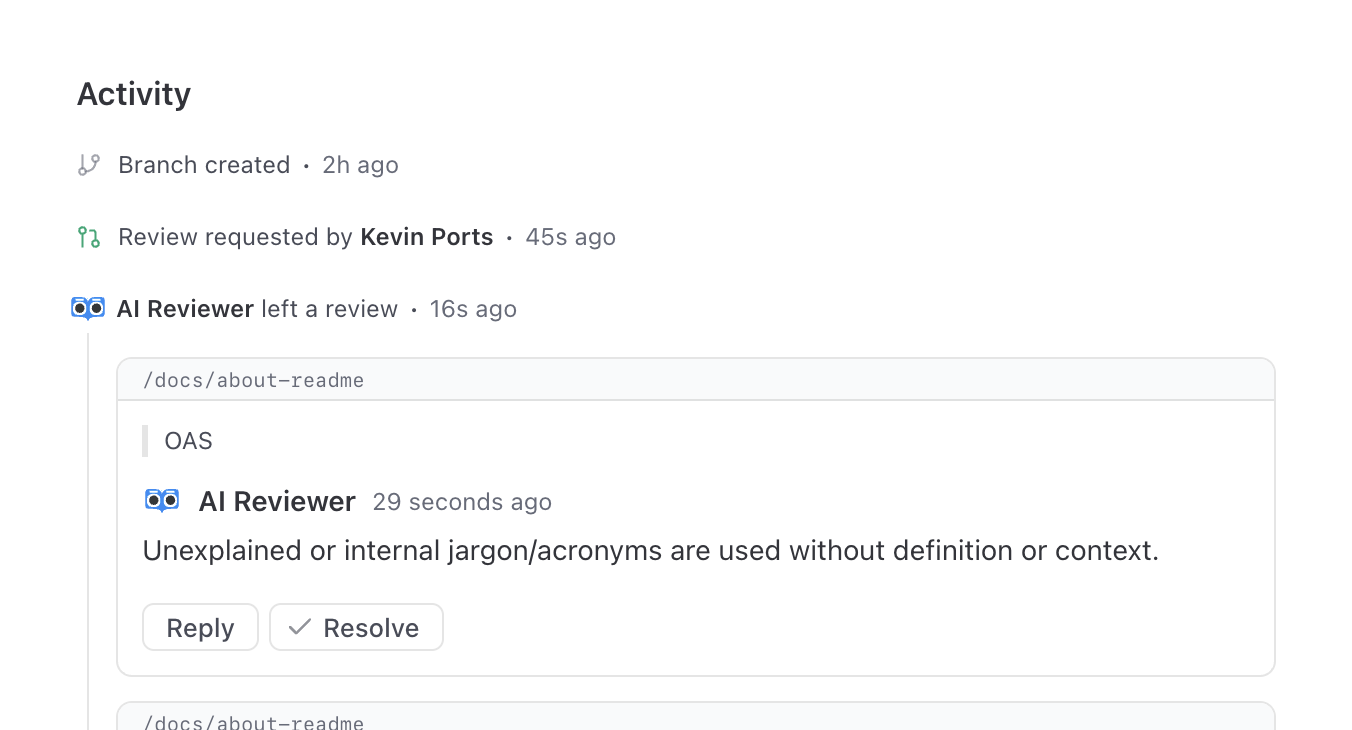
The AI Reviewer works alongside your team in a Branch Review to check each page a branch adds or changes against your Linter rules so you can find issues with your content changes before they merge. Results are reported as comments directly in your document so you can fix issues from the editor.
Setup
The AI Reviewer runs only when the project has Error and Warning Linter rules configured.
To set up your Linter rules in the dashboard for your project, go to the Admin Tools section and select AI > Linter. Follow the Linter configuration guide to learn more about setting up Linter rules.
Requesting an AI Review
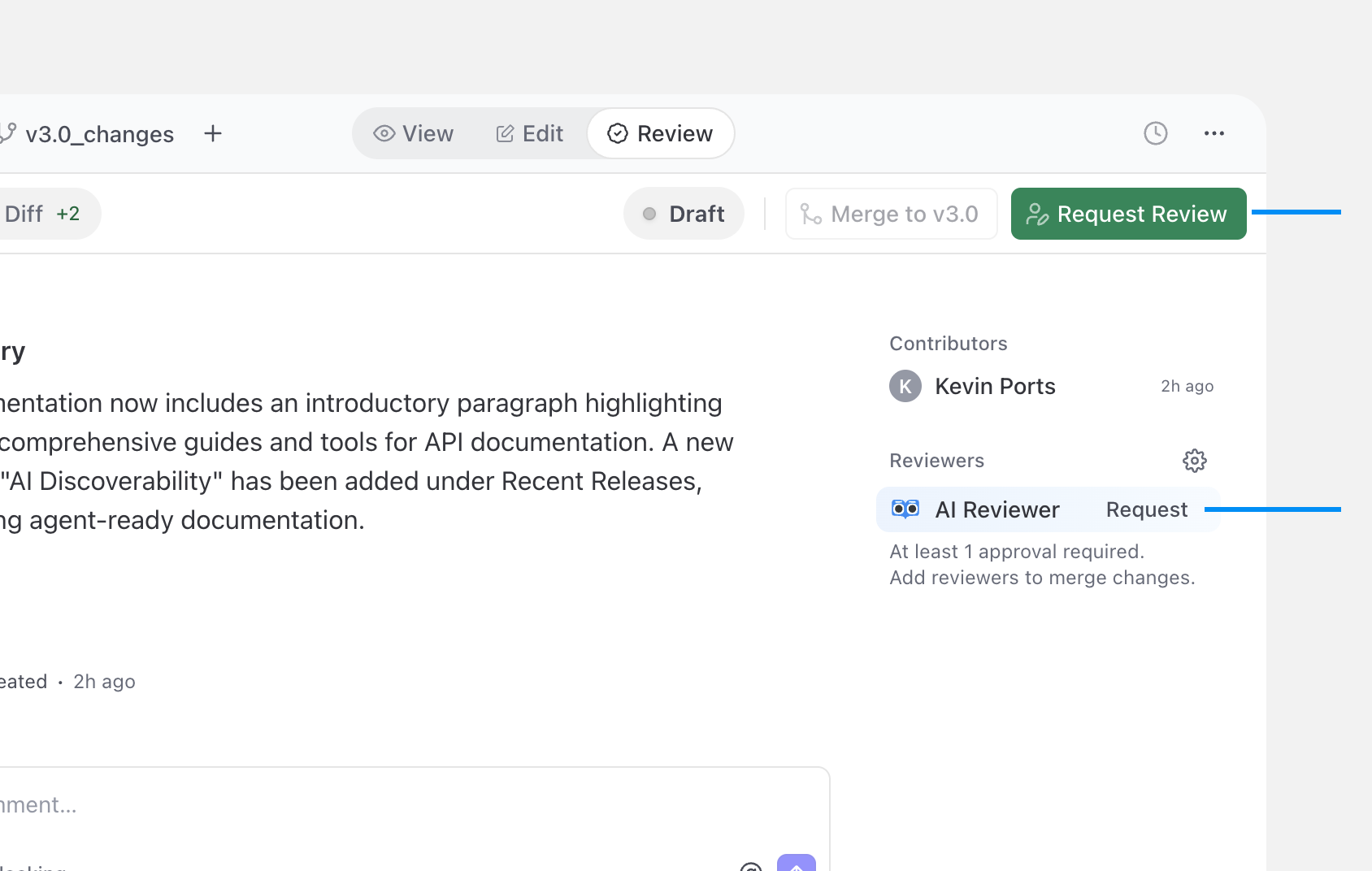
The AI Reviewer will automatically start reviewing when you click Request Review in the Review tab. If your branch is still in Draft, you can click Request on the AI Reviewer row in the Reviewers section of the review Overview tab.
Re-requesting AI Review
You can re-request a review from the AI Reviewer only if your branch has changed after the last AI Review. To re-request, click the icon next to the AI Reviewer row in the Reviewers section of the review Overview tab.
Review Comments
The AI Reviewer will comment on your doc with its findings. Pre-existing comment threads from teammates or the AI Reviewer are included in the context every time the AI Reviewer runs.
FAQ
What plan do I need?
The AI Reviewer is available on Pro plans and above.
Where should I send feedback?
Email [email protected].
Updated 27 days ago