

The Agent in the Editor
Make edits with AI to rewrite, shorten, expand, or improve selected text
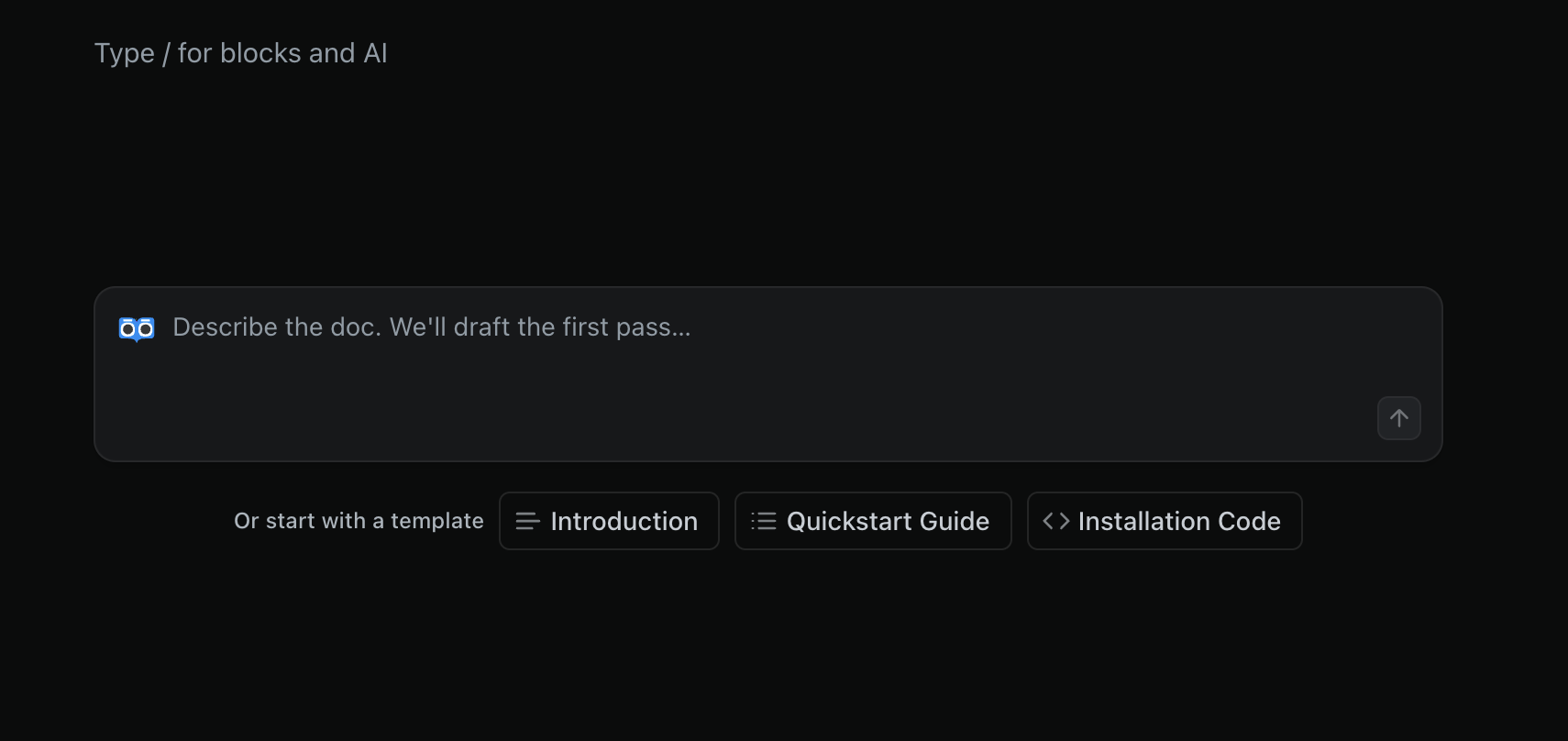
The Agent can also be accessed from the ReadMe editor. When starting from a blank page, the Agent can help draft content.
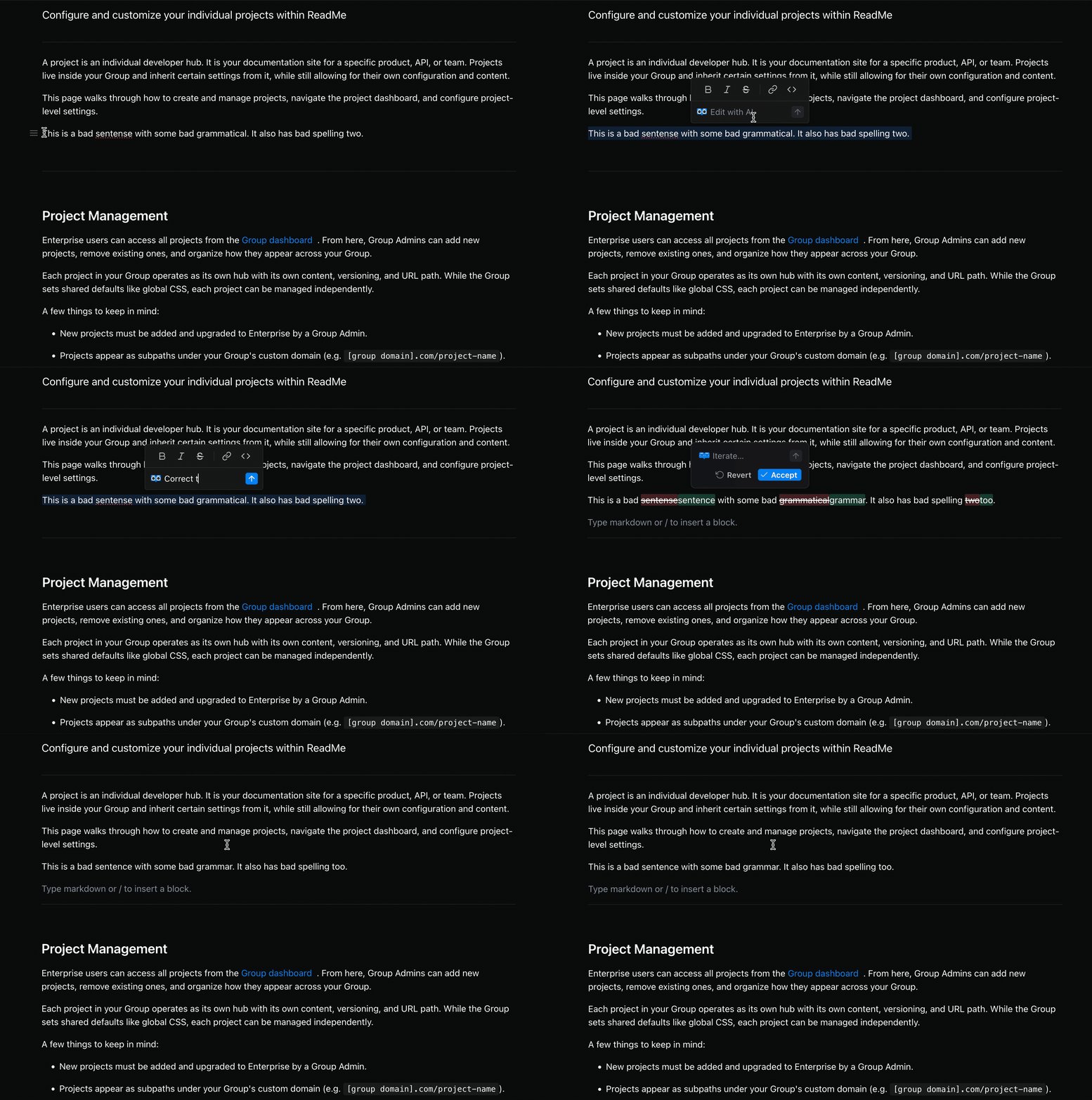
When you select text, a prompt field appears in the formatting toolbar where you can type plain-language instructions and let the Agent apply the edits.
The result is shown as an inline diff, so you can easily review the change before accepting it. You can iterate on the result with follow-up instructions, accept, or revert any Agent powered edits.
Accessing the Inline Agent
The Agent is available from the floating toolbar that appears when you select text in the editor.
- Select the text you want to edit.
- The formatting toolbar appears above your selection.
- Below the formatting buttons, type an instruction in the prompt field.
- Press Enter or click the up arrow button to submit the prompt.
Use Shift+Enter to add a line break in your prompt without submitting the prompt.
Writing Prompts
Prompts are plain-language instructions that describe how you want the selected text to change. Some examples:
Shorten this to one sentence.Rewrite this to be more formal.Expand this with a brief explanation.Fix the grammar.
After the Agent returns a result, you can type a follow-up instruction in the same prompt field to refine it further. Each iteration compares against your original selection.
Reviewing, Accepting, and Reverting
The Agent’s changes are shown as an inline diff. Any additions and removals are visible before any edits are made to the page.
- Click Accept to apply the change.
- Click Revert to discard the result and restore your original text.
Nothing is saved unless you explicitly accept.
Current Considerations
The Agent works with standard prose and markdown content. A few things to note:
- Tables are not supported. Text inside tables cannot be selected for inline editing.
- Custom components cannot be generated. AI can modify text within custom MDX/JSX components, but it cannot produce new components.
- Selection length is capped at 10,000 characters and prompts at 1,000 characters. If you exceed either limit, a validation message will appear.
Updated 3 months ago