

Agent
Draft, edit, and research documentation from the AI chat panel.
The Agent drafts, edits, and researches documentation from the AI chat panel in your editor. It uses the context of your current page and OpenAPI spec to produce output that matches your actual endpoints and parameters. You can ask it to write a getting started guide from your API spec, translate a page into Spanish, replace outdated terminology across your entire site, or scan every page for missing code examples — all in a single prompt.
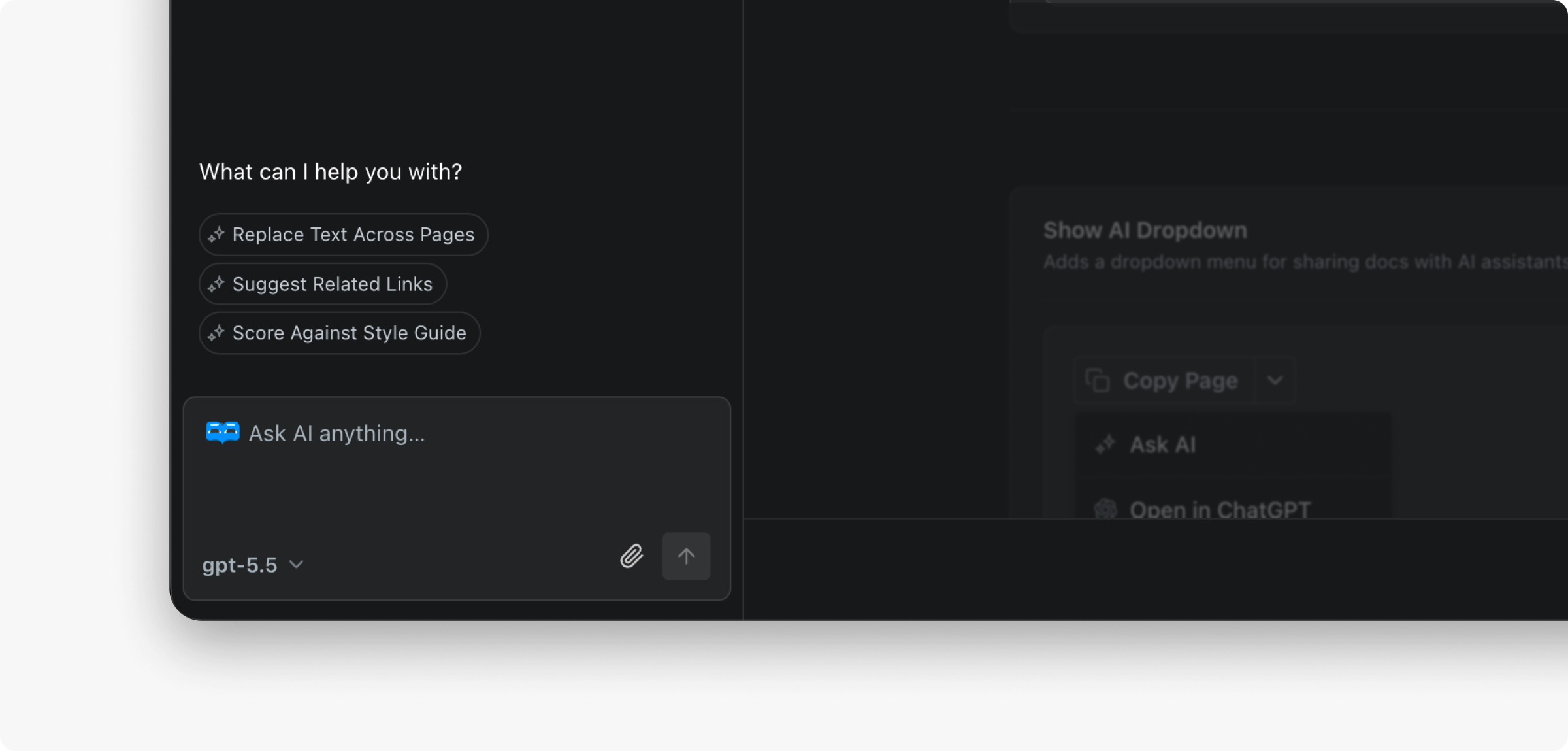
The agent is available on the Pro plans. Starter plan users have access to a limited number of complimentary answers.
Getting Started
- Open any page in your ReadMe project.
- The AI Agent panel lives in the right side AI Tools panel
- Type a prompt. The Agent responds using the context of your documentation and OAS file.
To choose a specific model, use the model picker at the bottom of the chat input. Otherwise ReadMe auto-selects one.
Configure
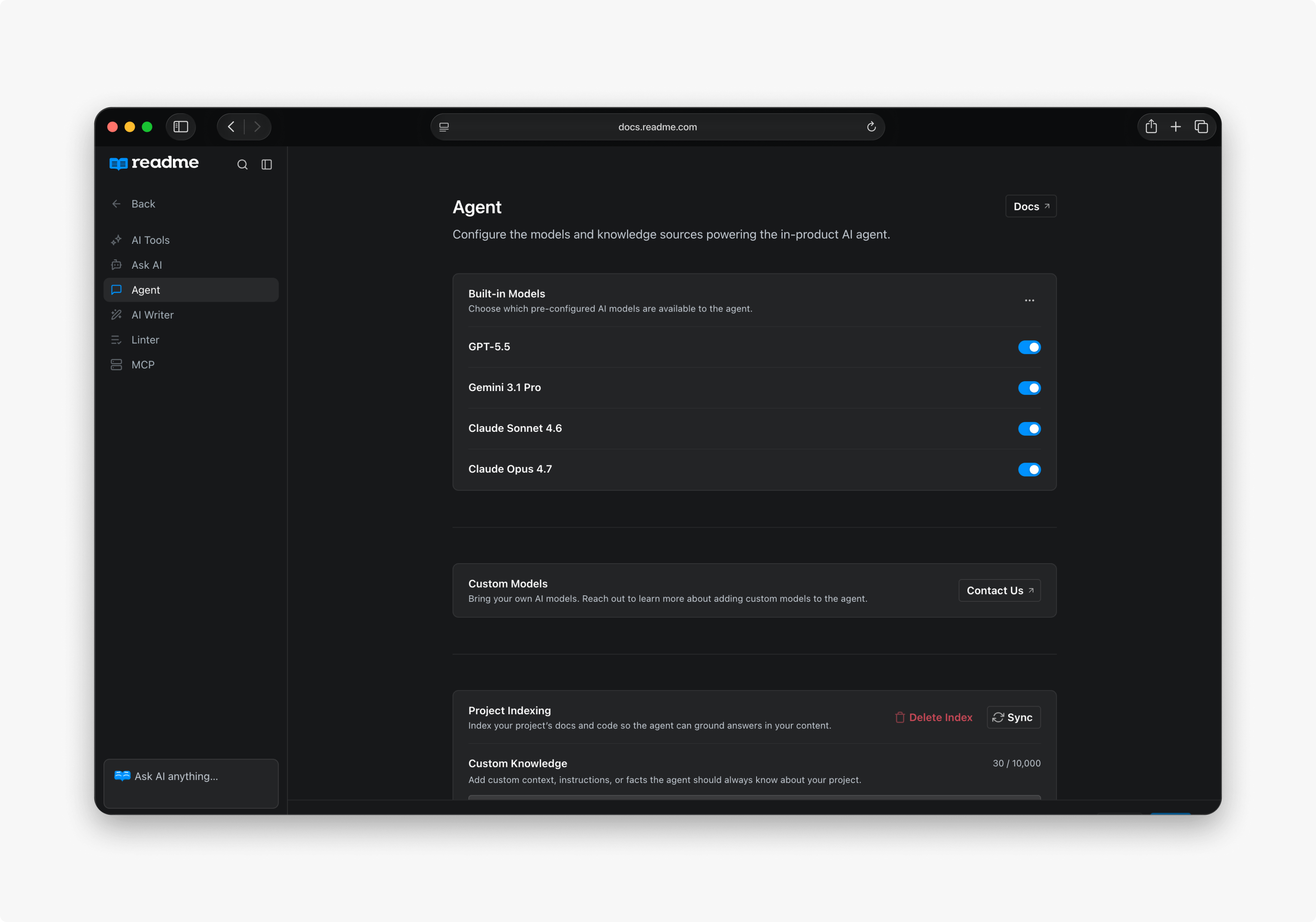
Open AI → Agent Settings to:
- Disable specific models that aren't compatible with your documentation.
- Index your codebase to give the Agent additional context.
- Add custom content that the Agent can reference.
Examples
Draft a guide from your API spec
Write a getting started guide for our authentication API. Include code
examples for getting an API key, making a first request, and handling errors.
The Agent reads your OpenAPI spec, finds the auth endpoints, and produces a full page with accurate parameter names, request/response examples, and proper MDX formatting.
Audit your docs for consistency
Find every page that mentions "API key" and check if they all describe
the same process for getting one. List any inconsistencies.
The Agent scans your entire site, compares the content across pages, and returns a report showing which pages are out of sync.
Rewrite a section from a URL
Read https://example.com/changelog and update our "What's New" page
with the latest three releases.
The Agent fetches the URL, extracts the relevant content, and writes it into your page formatted to match your existing style.
Fix linter issues across your site
Run the linter on every page and fix all errors automatically.The Agent applies your style guide rules, identifies violations, and resolves them in place across your entire project.
FAQ
What models are available?
Claude Opus 5, Gemini 3.8 Flash, GPT5.6 Terra, and more. ReadMe auto-selects a model by default, or you can choose one manually from the chat panel.
What data is sent to the model?
The current page content and relevant documentation are included in the prompt. No data is shared unless you actively use the Agent.
Can it access external websites?
Yes. It can search the web and analyze URLs you provide.
Can it edit multiple pages at once?
Yes. Prompt it to make changes across your entire site — replacing terms, auditing for gaps, or rebranding.
What plan do I need?
The Agent is available on all plans.
Updated 29 days ago