

API Designer
Build an API Reference without an OpenAPI file, defining endpoints, parameters, and responses in the API Designer's visual editor.
Overview
No OpenAPI specification? No problem! ReadMe's API Designer lets you build your API reference directly in the platform with an intuitive visual interface – no YAML or JSON required.
In this guide, we'll walk through creating a Social Media API with endpoints for listing and creating posts. You'll see how easy it is to document your API even if you're starting from a blank slate.
Creating Your API Definition
Let's start by setting up the basic structure for your API:
- Navigate to API Reference in your ReadMe project
- Click the + Add button
- Select Start Building under "Build an API definition from scratch"
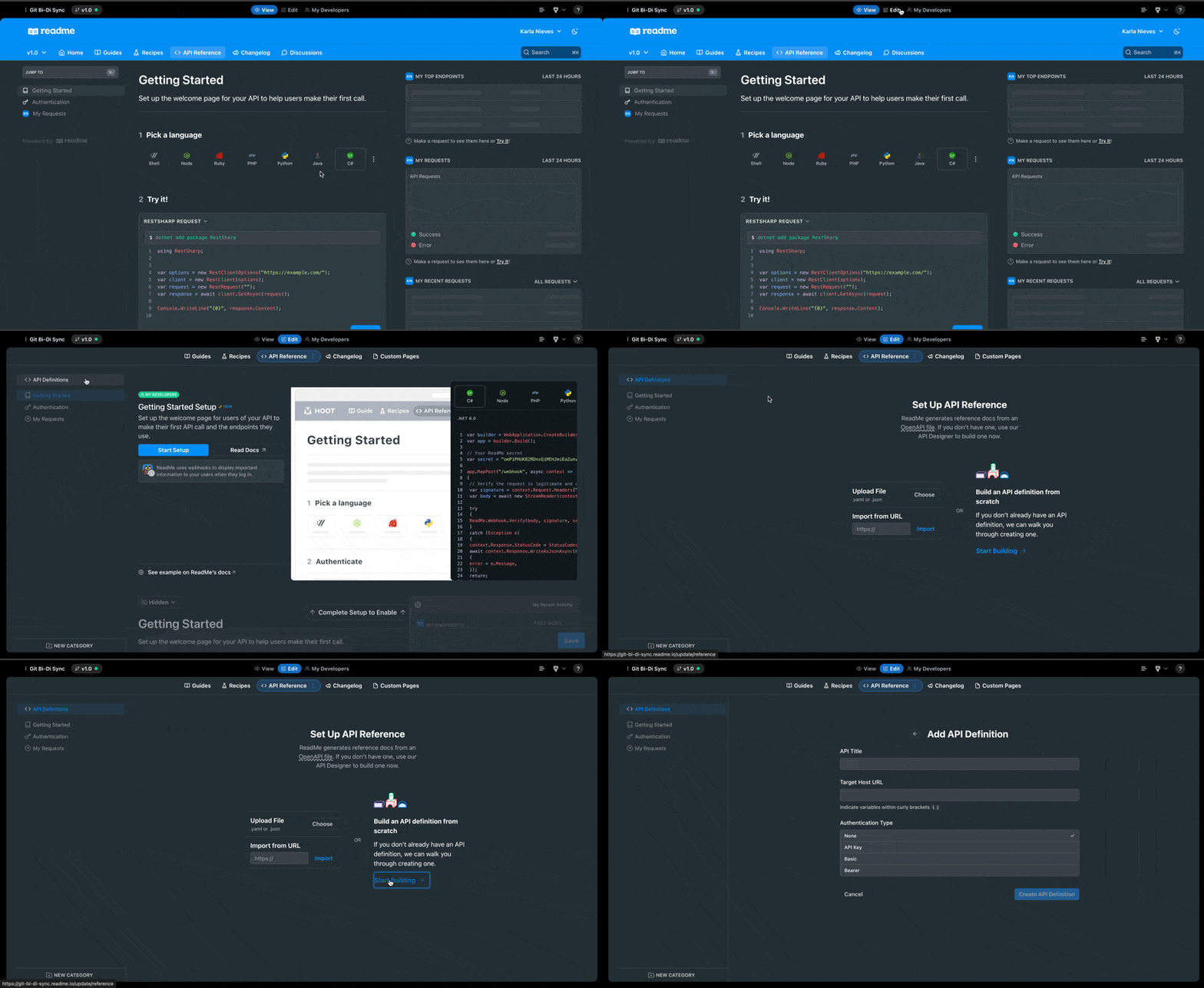
- Enter your API definition details:
- API Title: Enter a descriptive name (e.g., "Social Media API")
- Target Host URL: Your API's base URL (e.g., "http://api.example.com")
- Authentication Type: Select your authentication method (None, API Key, Basic, or Bearer)
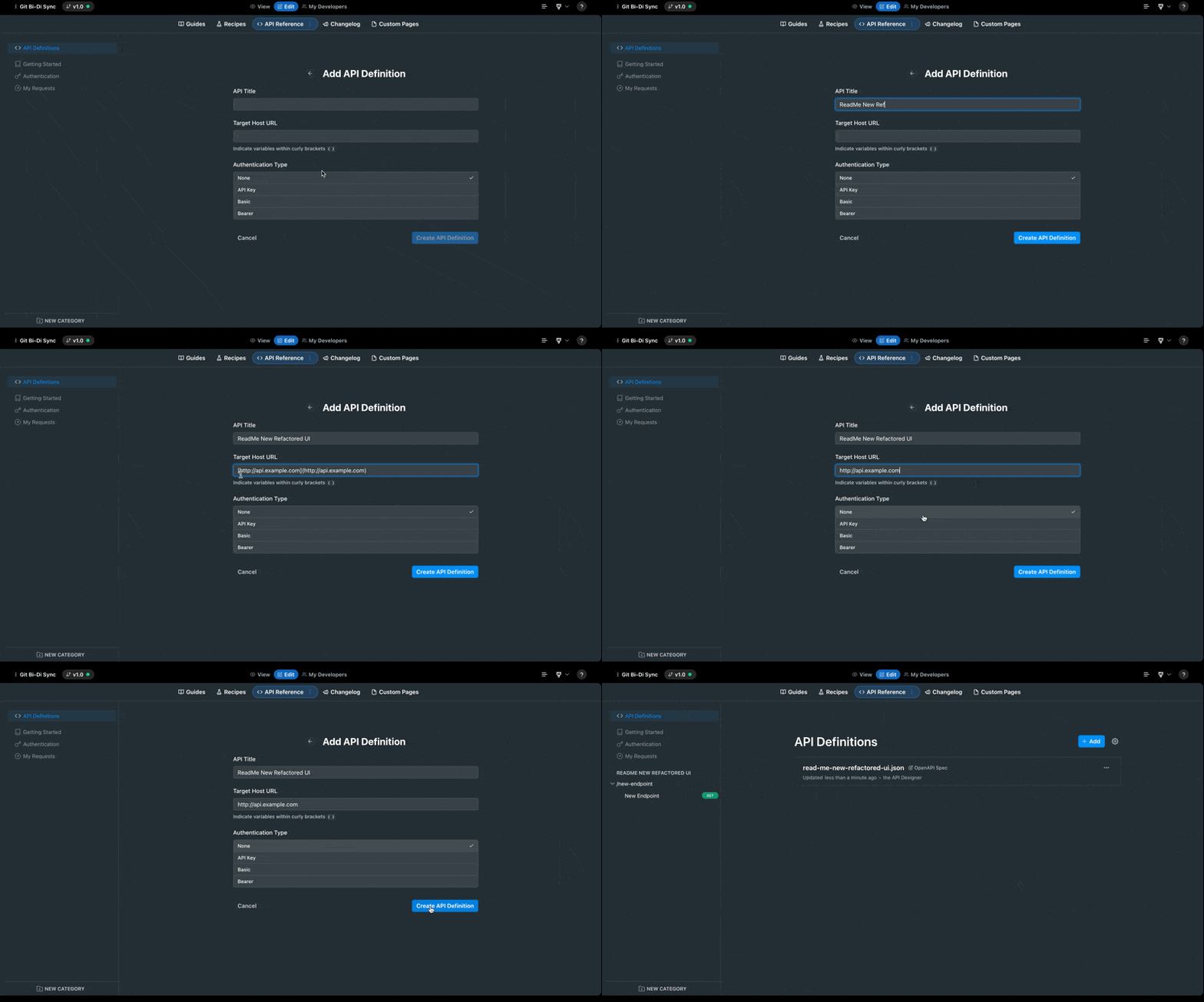
- Click Save to create your API definition
Your new API definition will appear in the left navigation panel, ready for you to add endpoints.
Creating Your First Endpoint (List Social Media Posts)
Let's create an endpoint to retrieve a list of social media posts:
- In the left navigation, you'll see a default endpoint labeled
/new-endpoint - Rename this to better reflect your API structure - let's call it "Posts"
- You'll now see this category in your left navigation
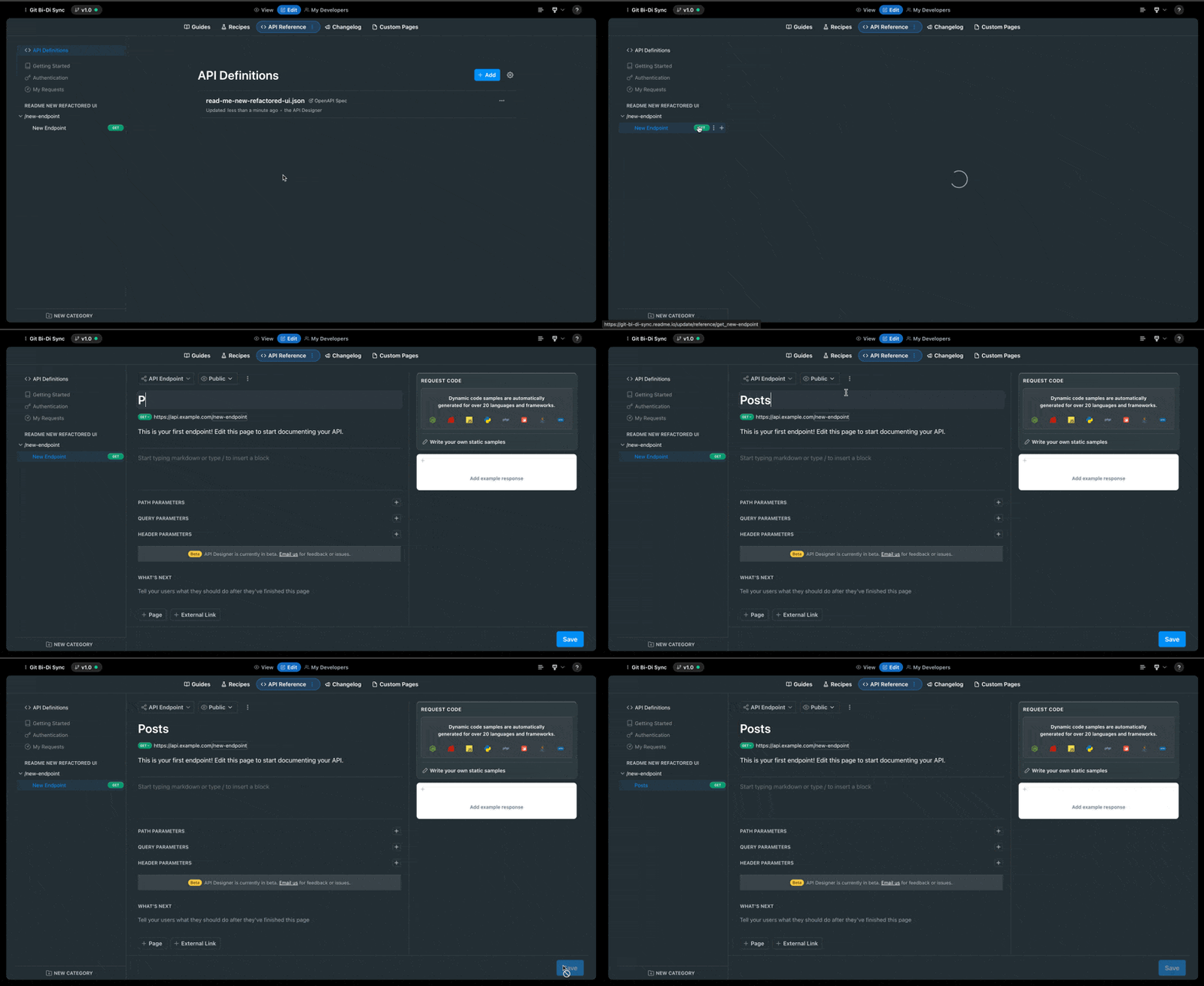
- Create your GET endpoint for listing posts:
- Click on the endpoint to edit it
- Change the title to "List Social Media Posts"
- Select the GET method from the dropdown menu
- Set the path to
/posts - Add a description explaining what the endpoint does (e.g., "Returns a paginated list of social media posts")
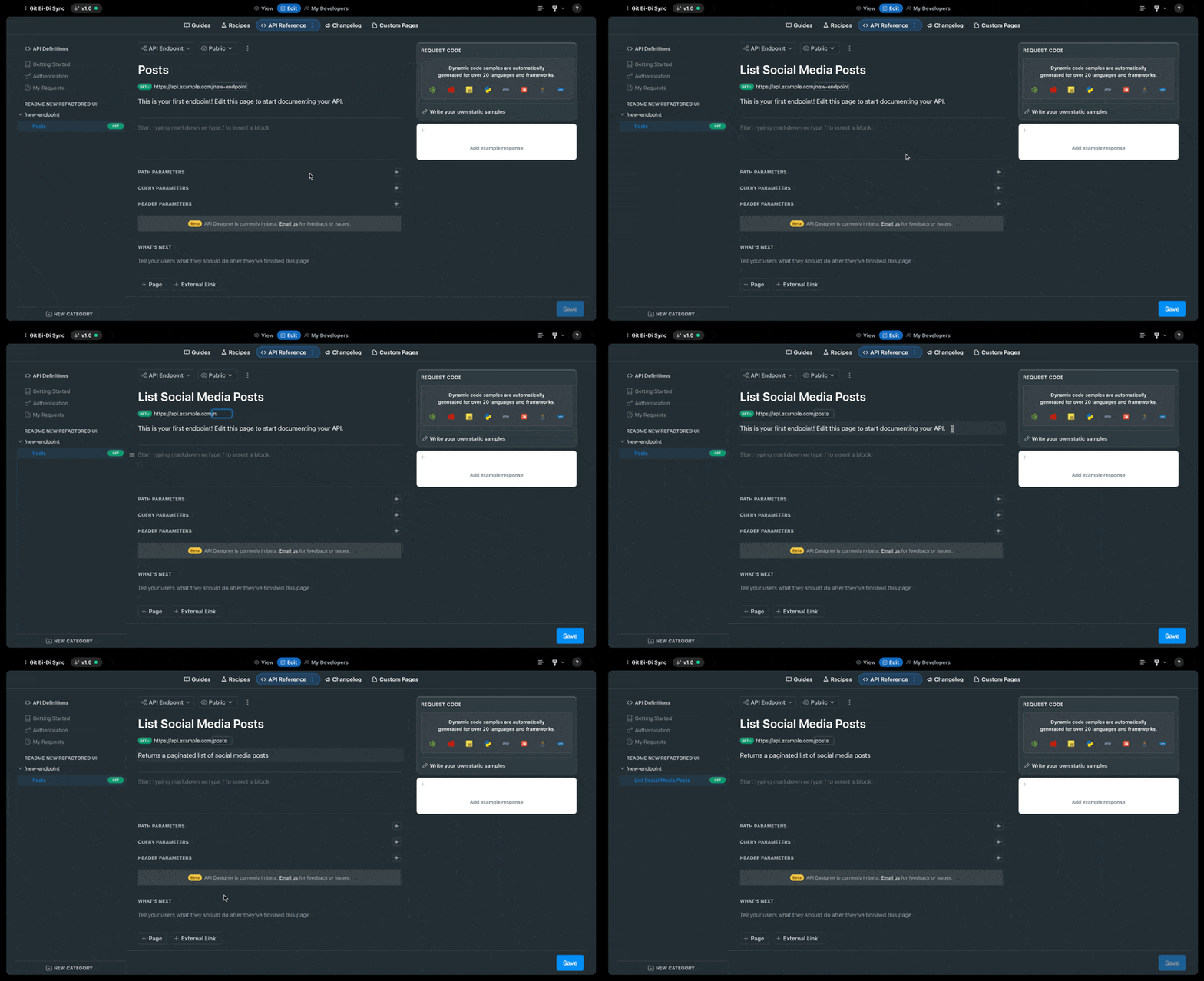
Automatic Path NormalizationThe API Designer automatically ensures that all endpoint paths begin with a leading
/, as required by the OpenAPI specification. For example, if you enterpostsas the path, it will be automatically corrected to/posts. This helps ensure your API definition remains valid.
Adding Query Parameters
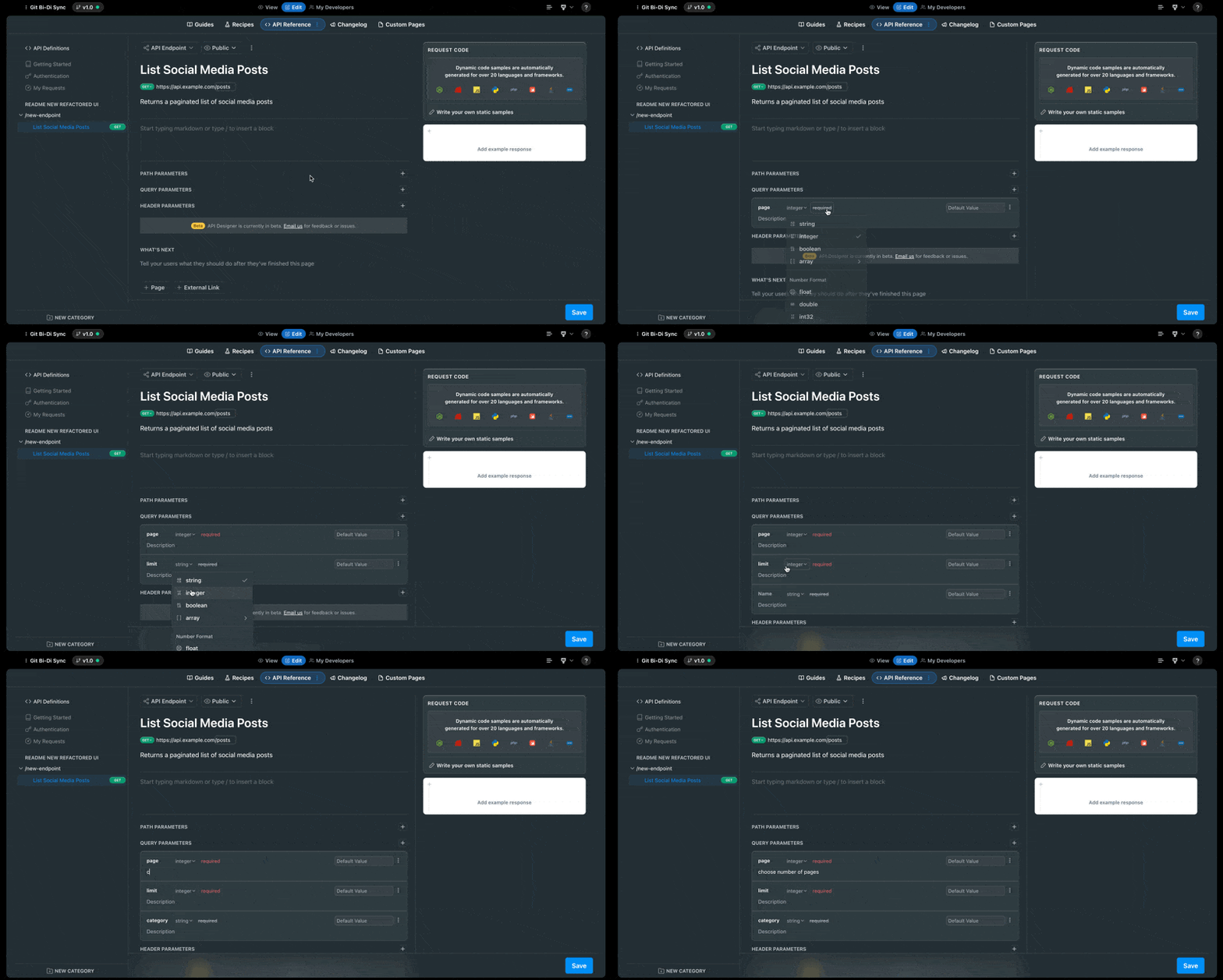
Most list endpoints support pagination or filtering. Let's add some query parameters:
- Locate the Query Parameters section and click the + button
- Add parameters for pagination:
- Add a
pageparameter of typeinteger - Add a
limitparameter of typeinteger - Add any other filtering parameters (e.g.,
categoryas astring)
- Add a
- For each parameter:
- Add a description
- Set whether it's required
- Provide a default value if applicable
Creating Your Second Endpoint (Create a Social Media Post)
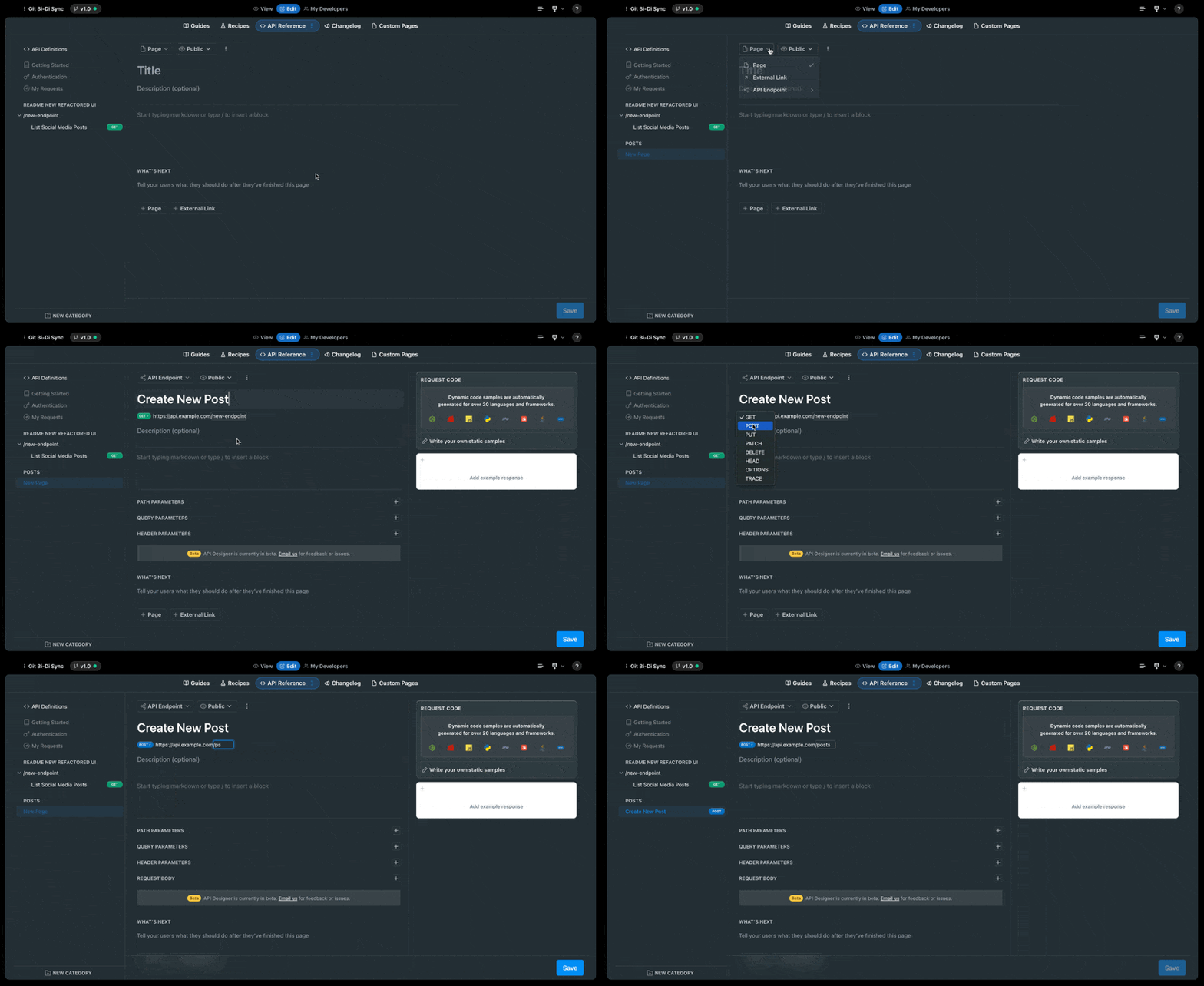
Now let's add an endpoint for creating new posts:
- In the left navigation, click the + New Category button if you need a new category, or use your existing "Posts" category
- Click the + icon to add a new endpoint
- Set up your POST endpoint:
- Title: "Create New Post"
- Method: Select POST from the dropdown
- Path:
/posts - Description: "Allows authenticated users to create new posts"
Adding Request Body Parameters
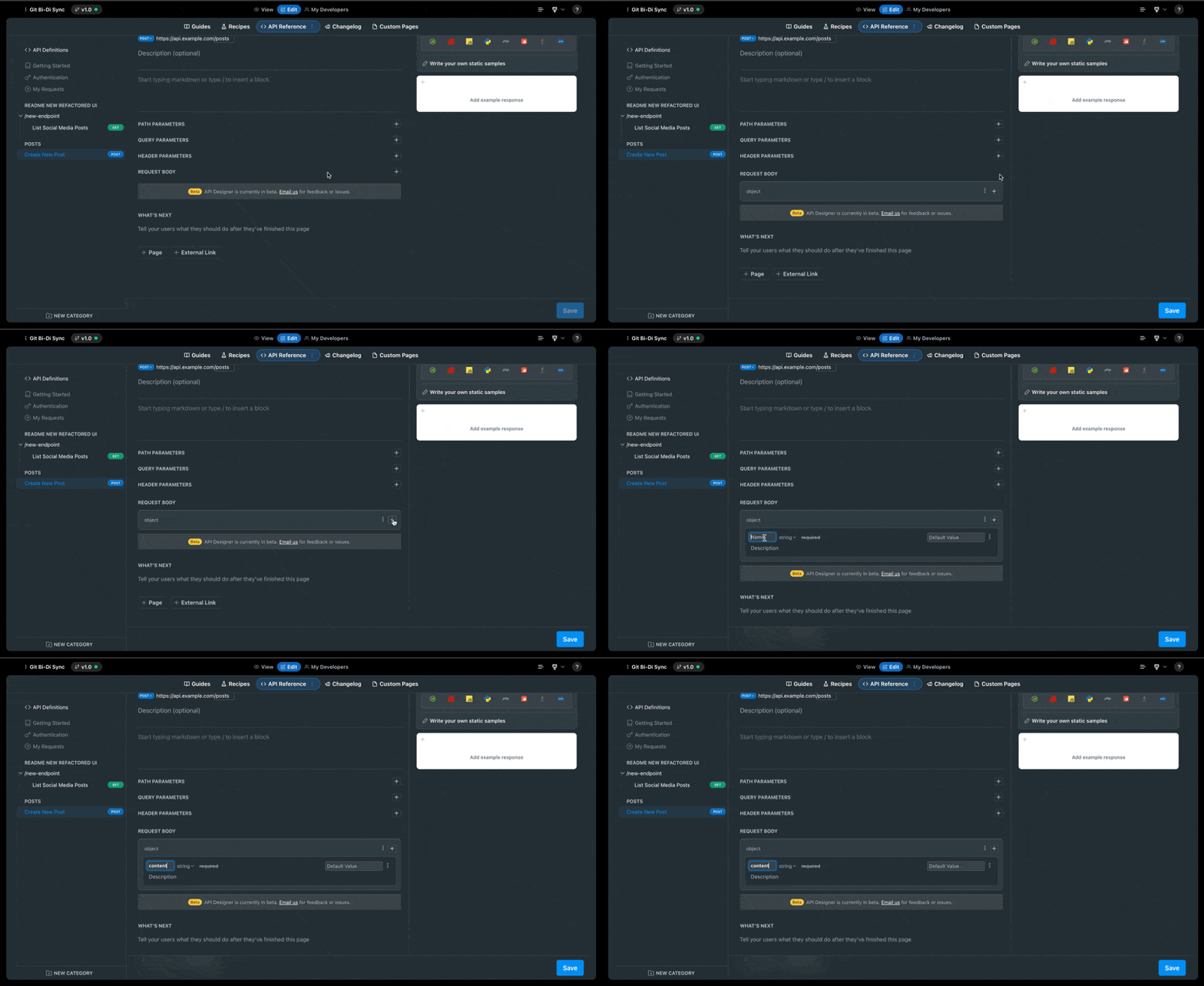
For a POST endpoint, you'll need to define the request body:
- Locate the Request Body section and click to expand it
- Set the content type to
object - Add the required fields:
- Add a
contentfield of typestringand mark it as required - Add any additional fields your API accepts (e.g.,
image_url,tags)
- Add a
- For each field:
- Add a clear description
- Mark whether it's required
- Provide any constraints (min/max length, pattern, etc.)
Adding Request Code Samples
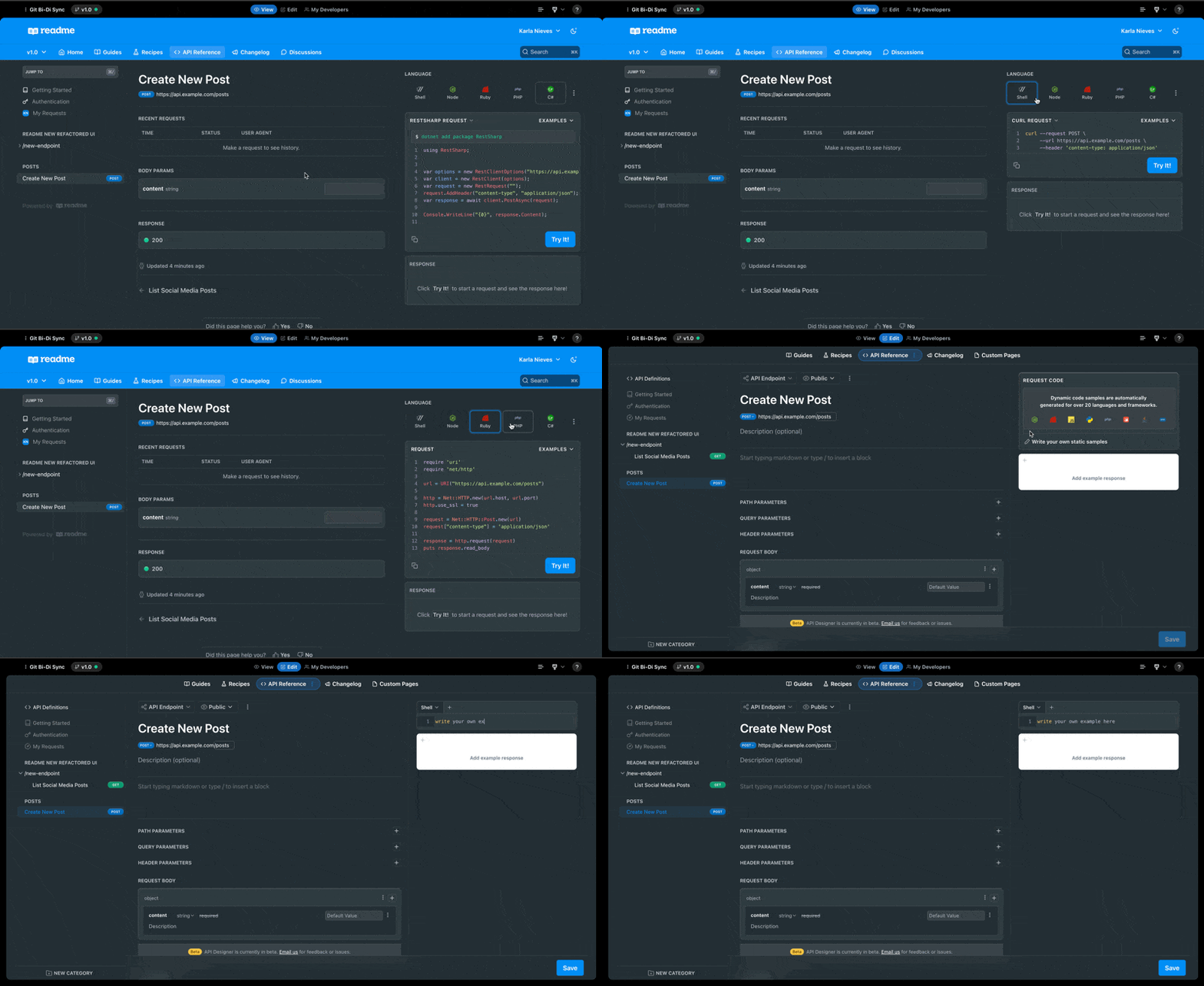
One of ReadMe's powerful features is automatic code sample generation:
- Find the Request Code section on the right
- ReadMe automatically generates code examples in multiple languages
- You can also click "Write your own static samples" to add custom examples
Testing Your API Documentation
After creating your endpoints:
- Save your changes
- Toggle to the "View" mode to see how your documentation looks to developers
- Test the interactive features to ensure your examples work correctly
Tips for Great API Documentation
- Be thorough with descriptions: Clearly explain what each endpoint does and why
- Provide realistic examples: Use example data that looks like real-world usage
- Document error states: Include examples of error responses and how to handle them
- Use consistent naming: Maintain a consistent style across all endpoints and parameters
- Add "What's Next": Use the "What's Next" section to guide users on related endpoints they might need
By following this guide, you've created a well-documented API reference from scratch using ReadMe's API Designer. Your developers now have interactive, clear documentation that helps them integrate with your API quickly and easily.
Remember, you can always return to the API Designer to add endpoints, update parameters, or enhance your documentation as your API evolves.
Editing Modes
The API Designer offers two ways to edit an endpoint, toggled with the API Designer / Code switch above the fields:
- API Designer — the visual, field-by-field editor described in this guide. Use it for adding parameters, request bodies, responses, and other supported features without writing any JSON.
- Code — a raw JSON editor that shows the endpoint's OpenAPI operation object. Use it when you need to work with features the visual editor doesn't support yet, or when you prefer editing the OAS directly.
Both modes write to the same underlying data, so saving works the same way regardless of which mode you use.
How Code Mode Works
When you switch to Code mode, the editor displays the operation object for the current endpoint as JSON. You can edit any field the OpenAPI specification supports for an operation, with two exceptions:
summary— edit this with the page's title field instead.description— edit this with the page's excerpt field instead.
These fields are kept out of the Code editor to avoid conflicts with the page header, which is the single source of truth for both.
As you type, your changes are validated against the full API definition file. This means you can reference any component defined in the file (e.g., $ref pointers to schemas under components) even if the current endpoint doesn't already use it. The Save button stays disabled while the JSON is invalid or still being validated, and an inline status message tells you whether the OAS is valid, invalid, or still being checked.
When you leave Code mode with an unvalidated or invalid draft, the editor reverts to the last valid version of the operation so that saving is never blocked out of sight.
Changes you make elsewhere on the page while in Code mode — such as picking a credential in the sidebar or editing request examples — are reflected in the Code editor automatically, so the next edit you make in the JSON keeps them.
Currently Unsupported OpenAPI Features in the API Designer
The visual API Designer does not yet support all OpenAPI features. If an endpoint uses any of the features listed below, the visual editor is read-only for that endpoint and a banner directs you to the Code editor, where you can edit the operation's raw OAS JSON directly.
| Unsupported OpenAPI Feature | Explanation | OpenAPI Documentation |
|---|---|---|
| Additional Properties | The additionalProperties keyword is used within a schema to define whether properties not explicitly defined in the schema are allowed in objects, and if so, what their types should be. | Dictionaries, HashMaps and Associative Arrays |
| Callbacks/Webhooks | OpenAPI has a feature to define endpoints that will make an API call once an event has completed. | Callbacks |
| References | Any endpoint that defines an object using a $ref. | Using Ref |
| Common Parameters | Endpoints where parameters are defined at the path level instead of the method, so the parameters are shared between all methods for that URL. | Describing Parameters |
| Links | Links are an OpenAPI feature that describes how the responses of one endpoint can be used as input for other operations. | Links |
| Polymorphism | Polymorphism lets you define a schema that can represent multiple types or models. | Inheritance and Polymorphism |
| Server Variables | Variables can be defined in the base path which can have a preset list of values the user can choose from. | API Server and Base Path |
| Style | The Style keyword allows configuration on how multiple values should be passed to a parameter. | Parameter Serialization |
| XML | Endpoints that accept or respond with XML data. | Representing XML |
Updated last month