

Manage Your Content
Establish workflows to create, review, and publish your docs
ReadMe gives you the tools to manage your documentation across its full lifecycle through tools such as branching versioning, and reviews. Integrating these into your workflows help keep your content organized as your product evolves and your team grows.
Whether you're maintaining multiple product versions, collaborating across authors, or building an approval process before publishing, ReadMe publishing tools support seamless document management.
ReadMe Publishing Workflows
ReadMe is built around common version control and publishing workflows. Contributors can create a branch and work in isolation, run their edits through automatic and manual review, and release as part of a new version.
Authoring in ReadMe
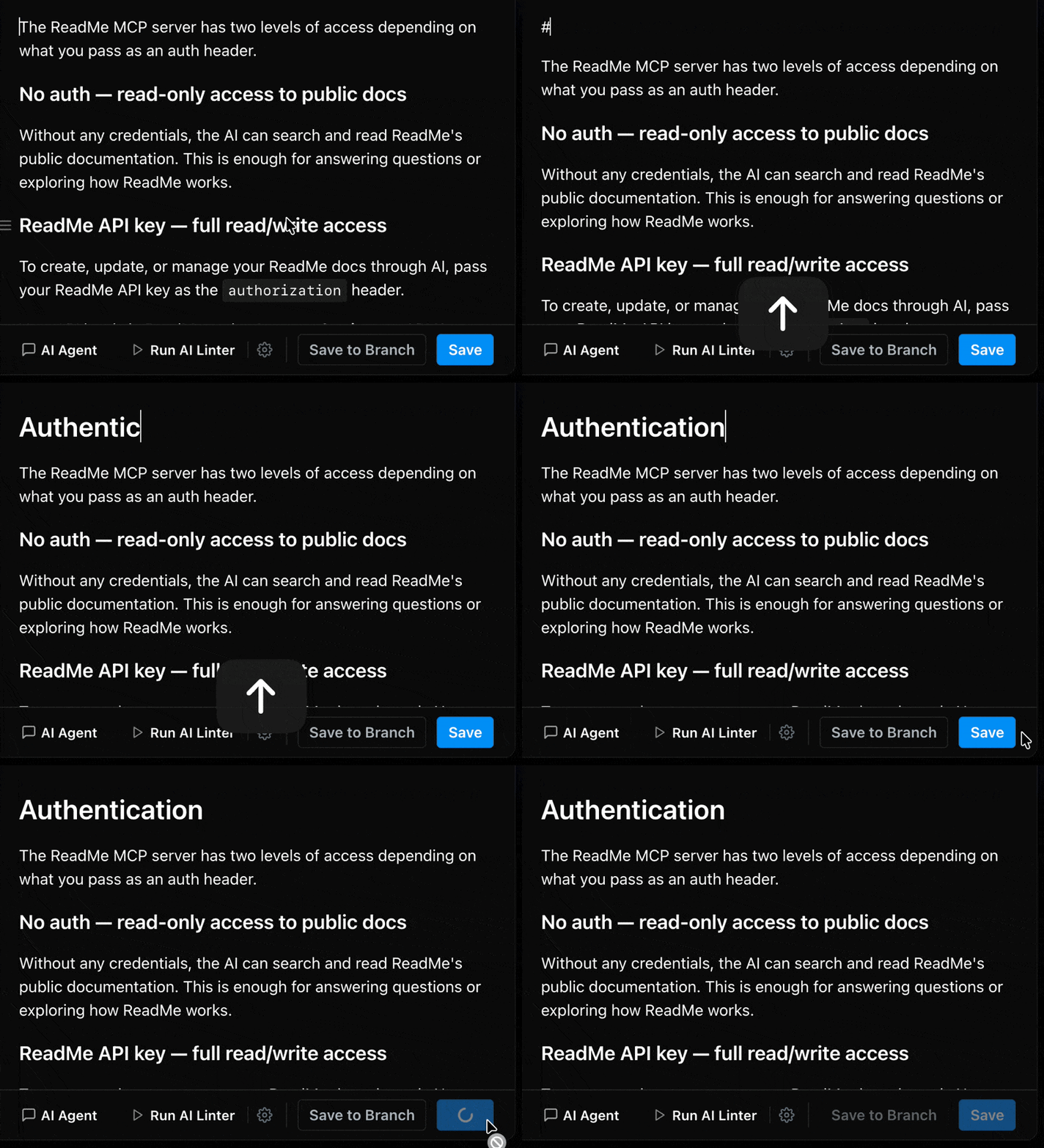
ReadMe supports direct in-platform editing. You can publish saved changes immediately. If needed, you can revert to a previous version via the page history.
Branches
With branches, editors and admins can write without committing to publishing right away. It’s ideal for writing about feature releases, or reorganizing a section. Branches work just as well for small changes when your team prefers a review before anything goes live. If you sync with GitHub, GitLab, or Bitbucket, any branches you create will sync with ReadMe.
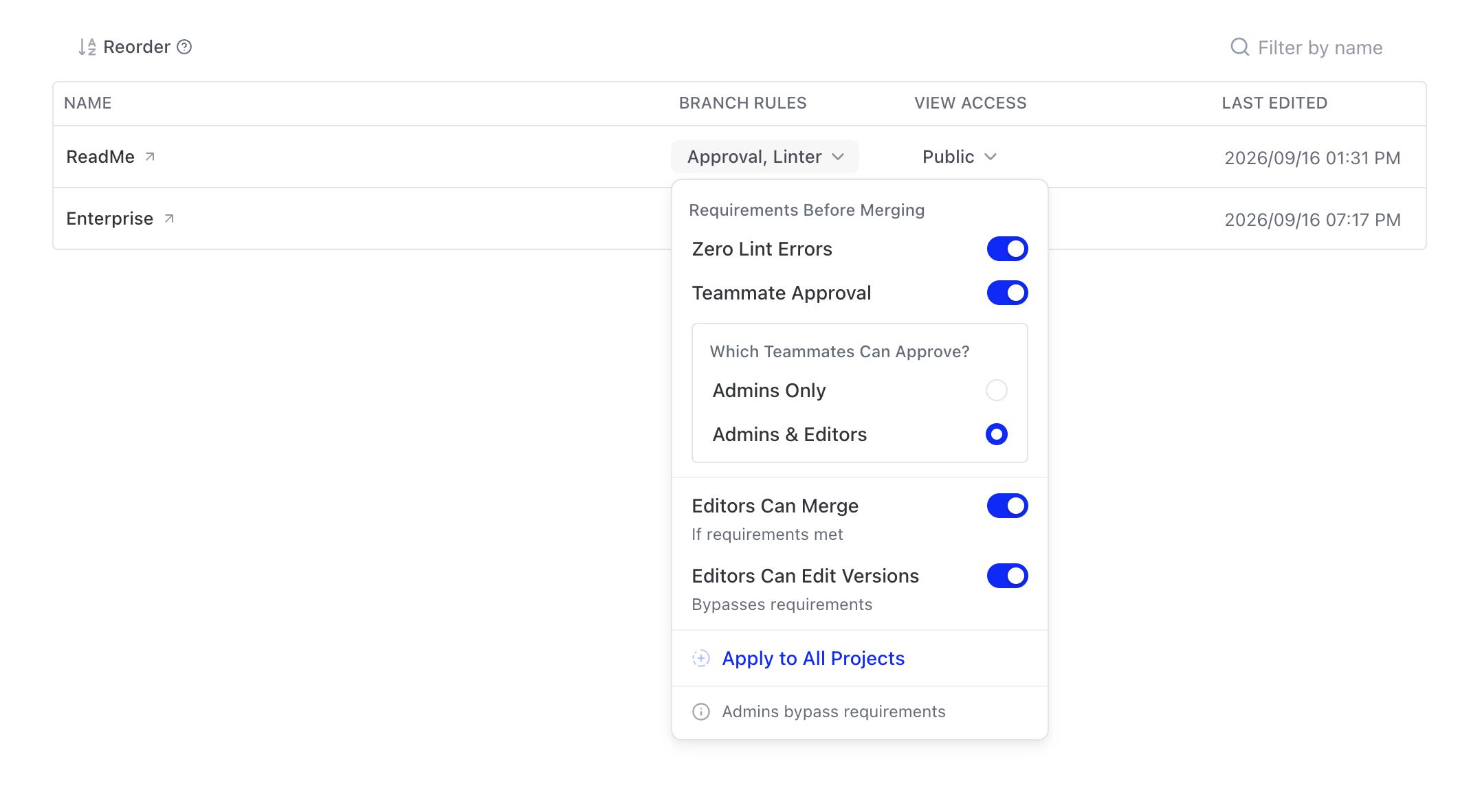
Enterprise customers can control who is able to merge by selecting one of the following merge access settings:
- Only Admins: Admin roles will be able to merge any branch, regardless of Review status. When this setting is selected, Editors will not be able to save directly to a version and must open a branch for an Admin to merge.
- Admins & Editors: Either an Admin or Editor can merge any branch, regardless of Review status.
See Branches for more details.
Reviews
Reviews enable writers and teams to check changes with teammates and the AI Linter before they’re ultimately published. Writers can request a review from the Review tab to notify them in-app. Reviewers can approve changes to enable merging.
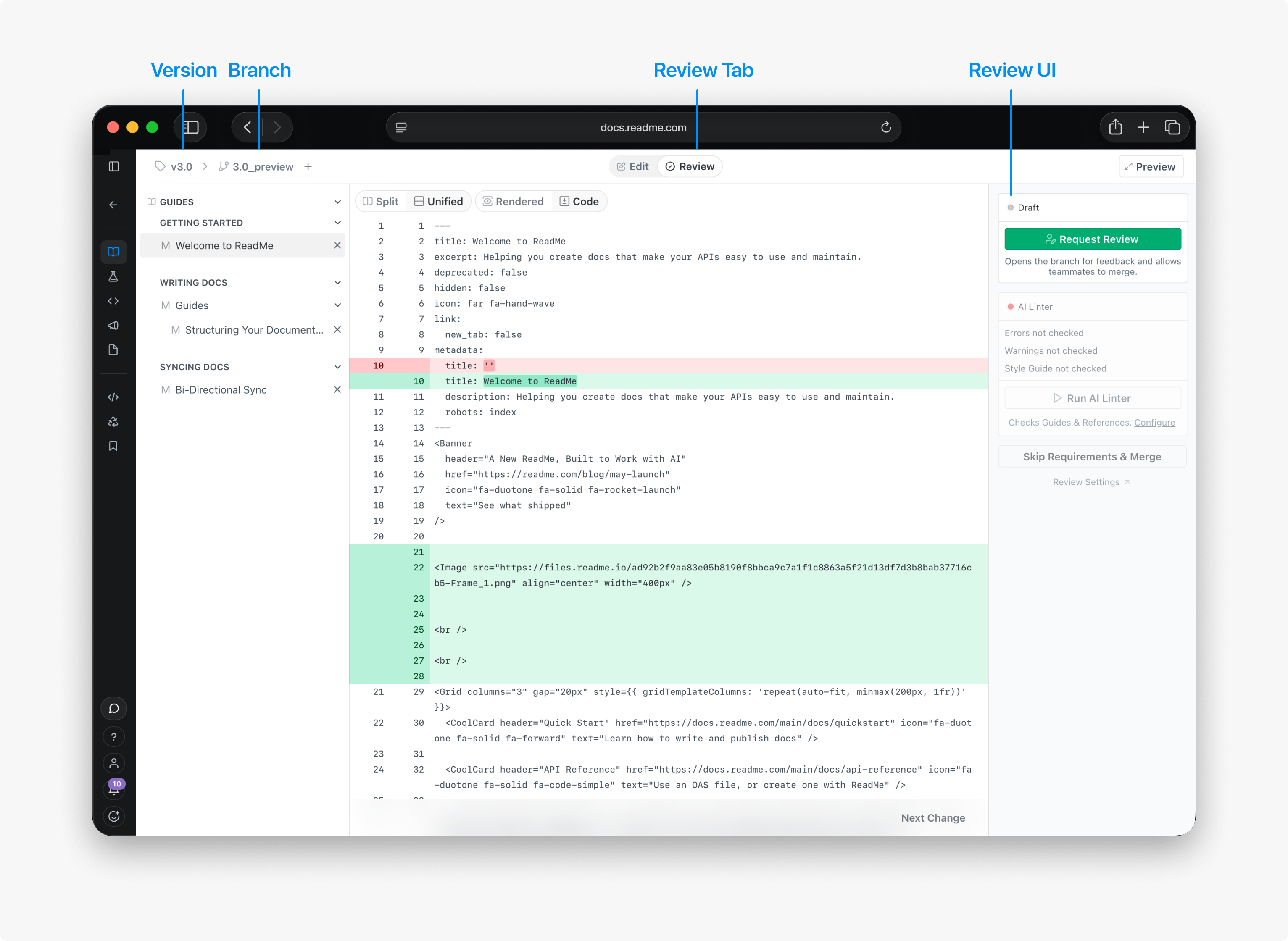
See Reviews for more details.
Enterprise Reviews
Enterprise customers can require branches to enforce their custom linter styleguide or a teammate approval.
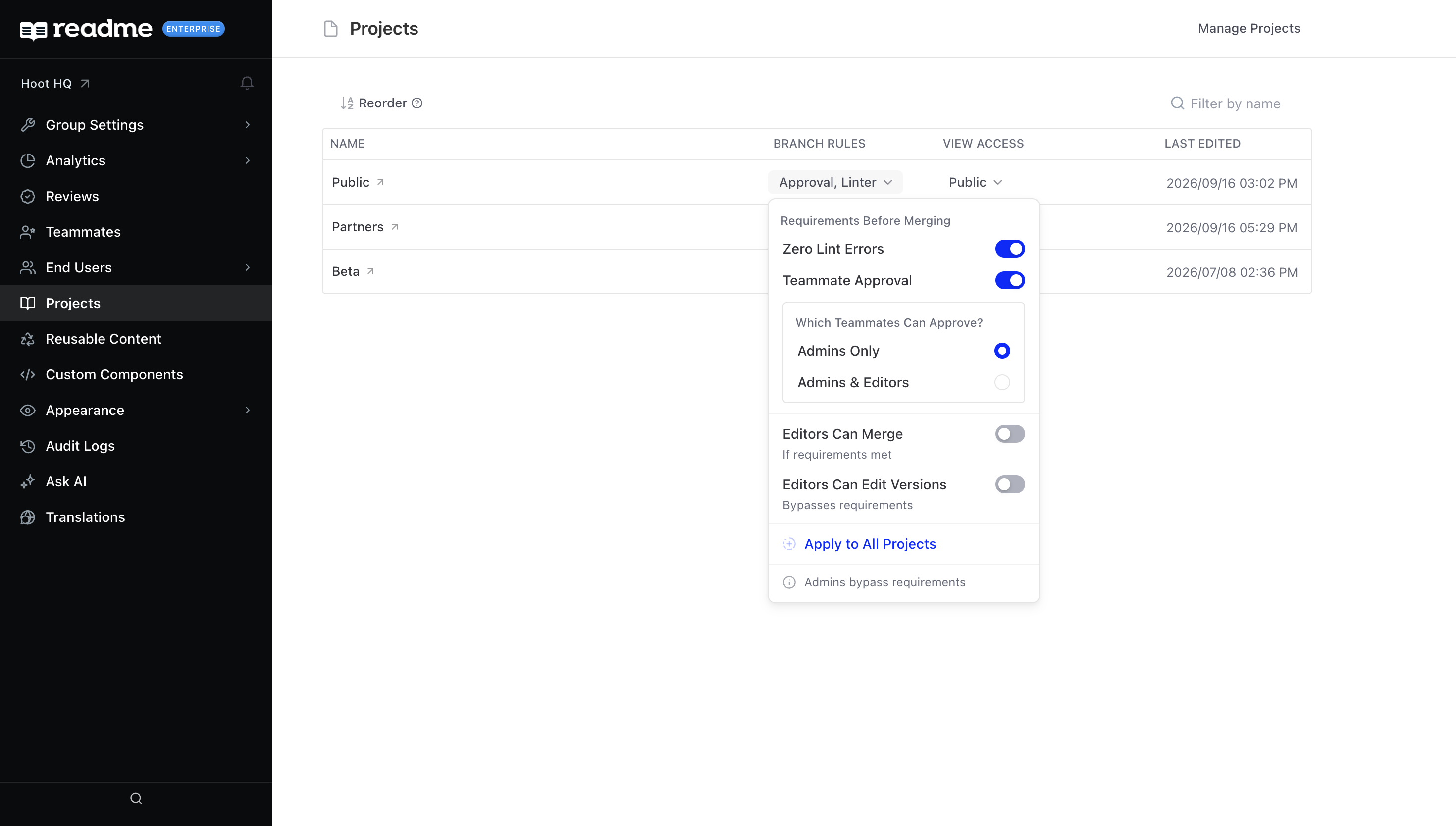
Group Admins can find the settings under Project where they can set requirements before a merge can happen:
- Zero Lint Errors: Only allow merging if the AI Linter does not return any errors for the edited pages.
- Teammate Approval: Only allow merging if another teammate has approved. Group Admins can decide if an Editor approval is sufficient, or if an Admin will need to approve explicitly.
- Admins Only: Only Admin roles can approve changes.
- Admins & Editors: Either an Admin or Editor can approve changes.
Admins can bypass review requirementsIf review requirements are blocking a merge, admins can skip and publish immediately using Skip Requirements & Merge.
Review Dashboard
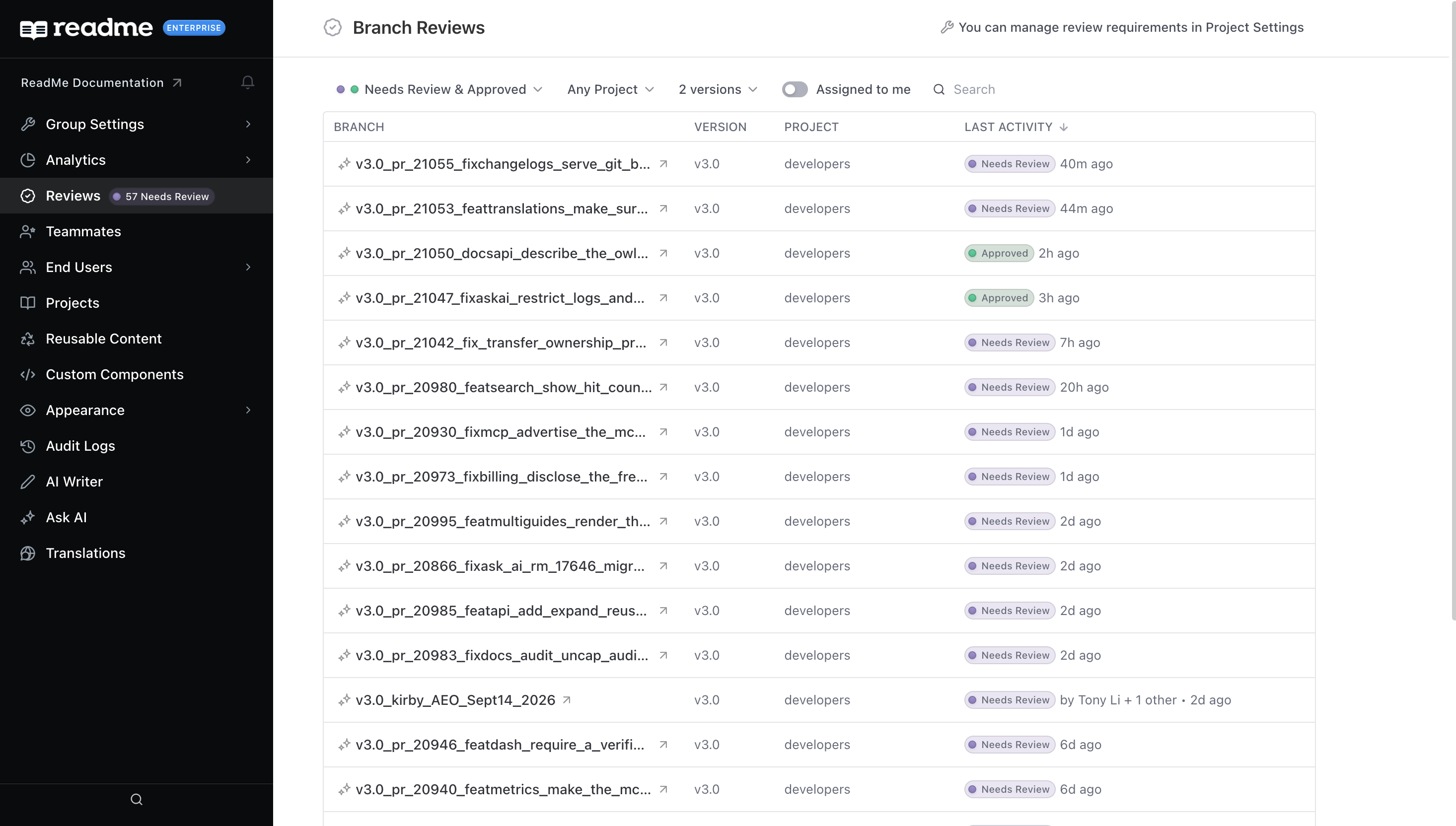
Group Editors & Admins can access the Reviews page to see branches that require review across all projects. They can search and filter for specific projects from here as well.
Review Notifications
Teammates are notified when a branch is marked ready for review or merged, and the requester is notified when their branch is approved. You can manage notification preferences from the notification modal.
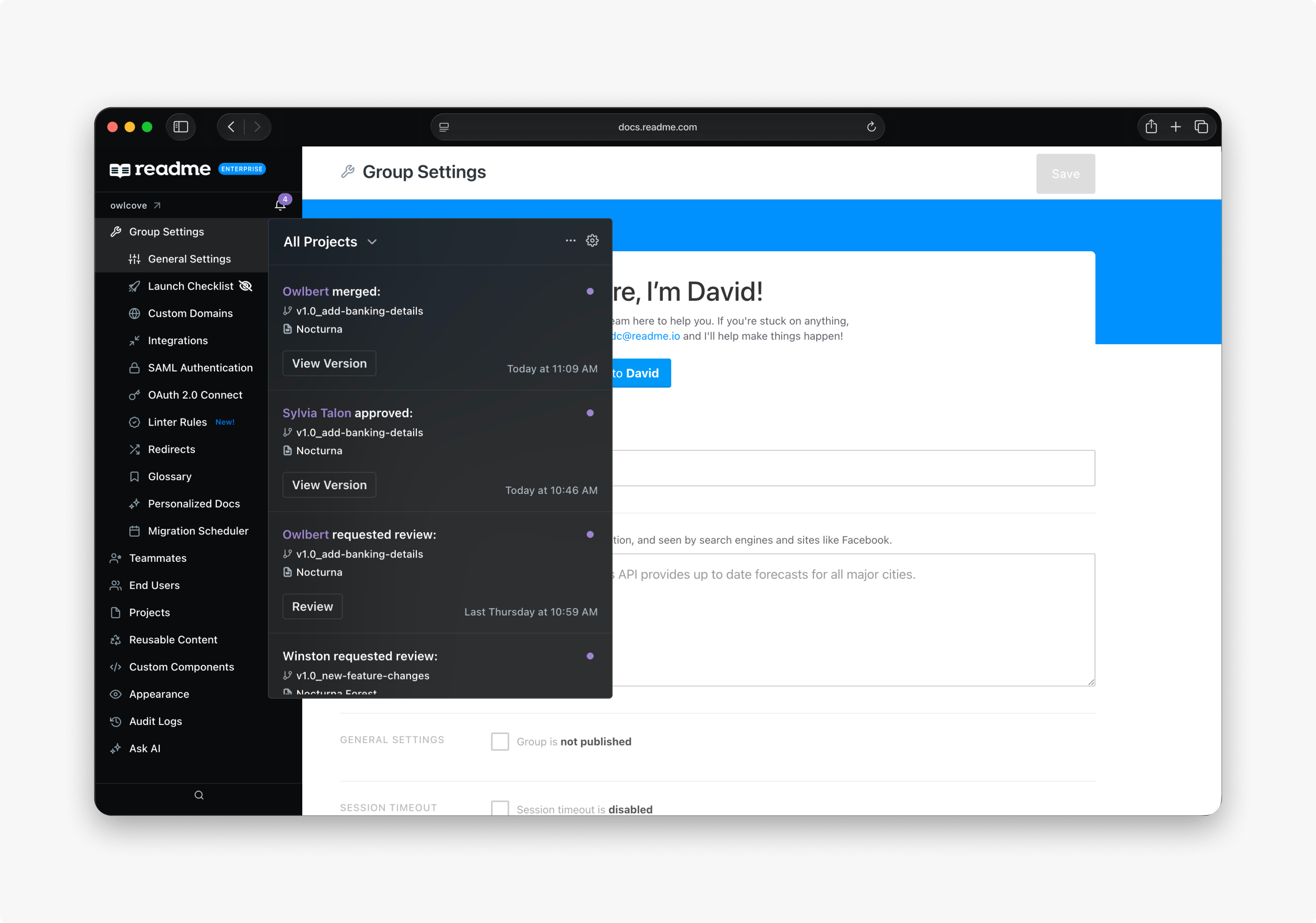
See Notifications for more details.
Versions
ReadMe supports versioning across your Guides, Recipes, and Reference sections, allowing you to maintain multiple copies of your documentation simultaneously. Versions follow a Semver-based naming system and can be configured with display names, beta or deprecated badges, and visibility settings.
See Versions for more details.
More Ways to Write
Updated last month