

Localization
Support multi-language documentation for your global audience
Translations support your documentation in multiple languages, streamlining your workflow by letting you edit your original and translated docs on ReadMe.
End-User View
End users select the language they want to view your documentation in. Navigation, search, and all platform-provided content on the page translate automatically.
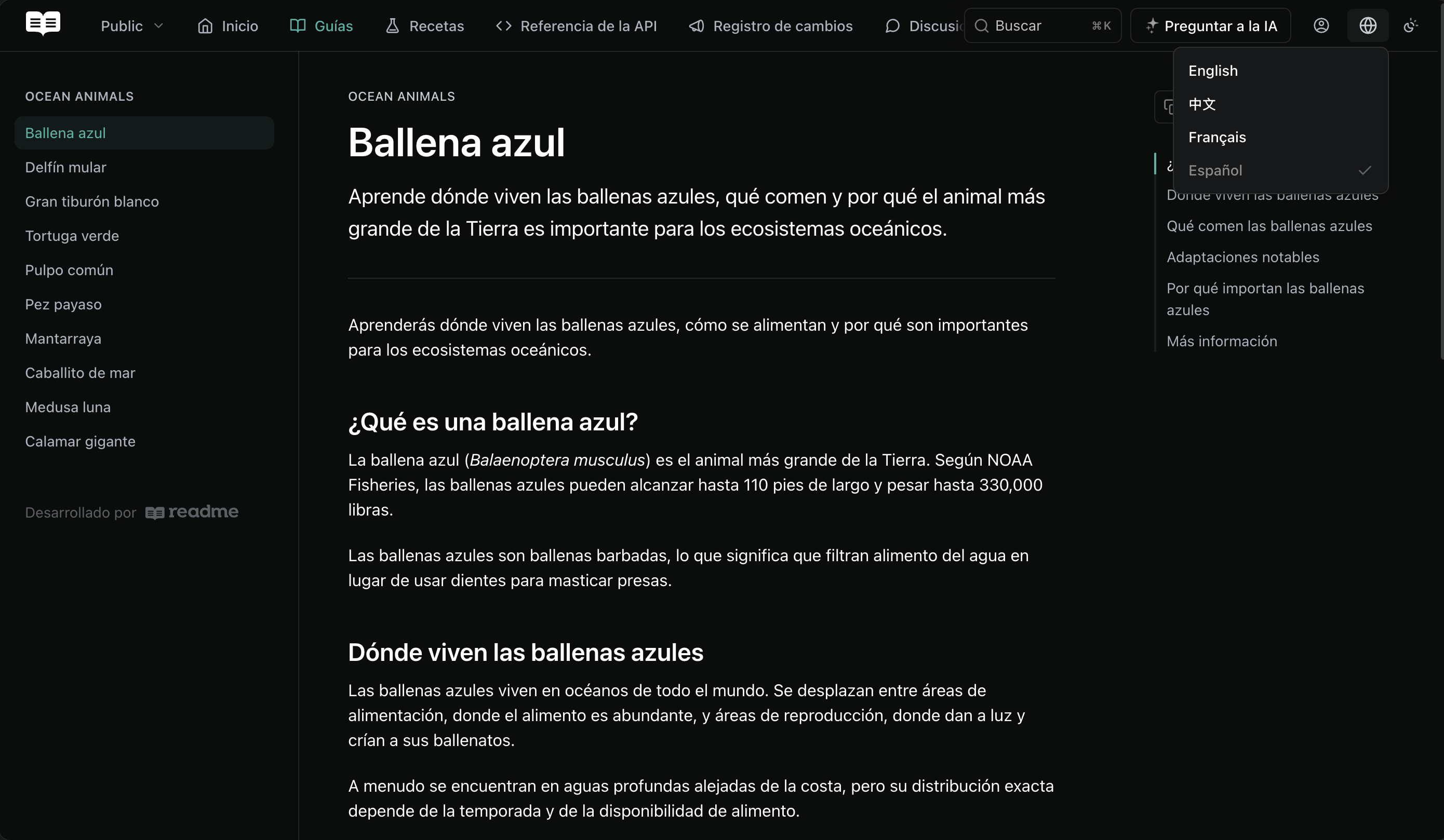
Search
ReadMe automatically indexes content in each language for search. When users perform a search, they see results limited to the language they currently have selected, keeping results consistent with the language they're viewing.
When users search across Enterprise projects within the same group, results pull from different versions depending on the project. The active project returns results from the version the user is currently viewing, while all other projects return results from their stable versions. Projects without translations in the selected language are excluded from search results.
Configure
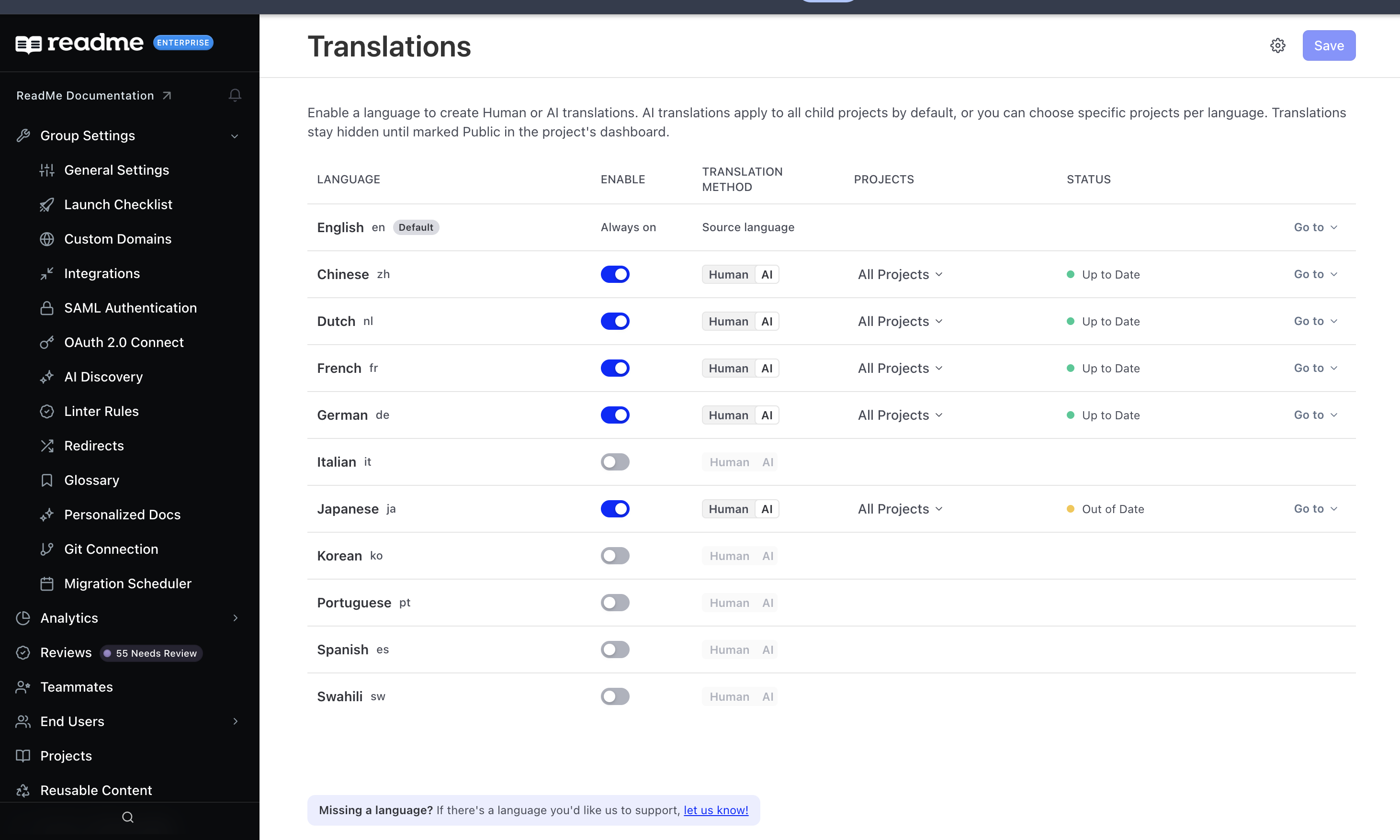
Enable your preferred languages in the Group Dashboard. Each enabled language has three settings:
- Translation Method. Choose Human or AI per language. AI translation runs against your content automatically; Human leaves the content for your team to write.
- Projects. AI translations apply to all child projects by default. You can scope a language to specific projects instead, so a language can cover some projects and not others.
- Status. Shows whether a language is Up to Date or still in progress, with a page count while a translation runs.
Translations stay hidden until you publish themEnabling a language and running a translation does not make it visible to readers. A translation stays hidden until you mark it Public in that project's dashboard.
AI Translations are available on Enterprise plans.
Currently supported languages: English, German, Spanish, French, Italian, Japanese, Portuguese, Chinese, Korean, Dutch, and Swahili.
Enabling a language lets you create either AI or human translations for it. AI translation runs automatically against your content. Human translation leaves the content for your team to write, which is the right choice where a phrase carries legal or contractual weight.
If the language you need is not listed, use the let us know link at the bottom of the Translations page to request it.
What Gets Translated
Enabling a language translates:
- Guides, Recipes, and Custom Pages
- Changelog posts
- API Reference content, including short field labels from your OpenAPI definition
- Sidebar category titles, on the first translation into that language
- Text inside custom blocks and raw HTML, not only markdown
- Reader-facing interface labels, including Ask AI tool statuses and its suggested questions
Keeping Translations Current
Translations follow your content rather than needing a rebuild:
- Editing a page re-translates that page, not the whole project.
- Re-uploading an API definition refreshes its translated reference text without a full re-initialization.
- A child project added to the group after a language was enabled receives that language automatically.
Keeping Terms Untranslated
Product names, code identifiers, and trademarks usually should not be translated. Add them to the do-not-translate list in your translation settings and they are left in their original form everywhere they appear.
When a Translation Fails
Translation degrades to readable content rather than to an error:
- A custom block that fails to translate falls back to its original English content.
- Short field labels that come back untranslated are retried automatically rather than staying in English.
Support a New Language
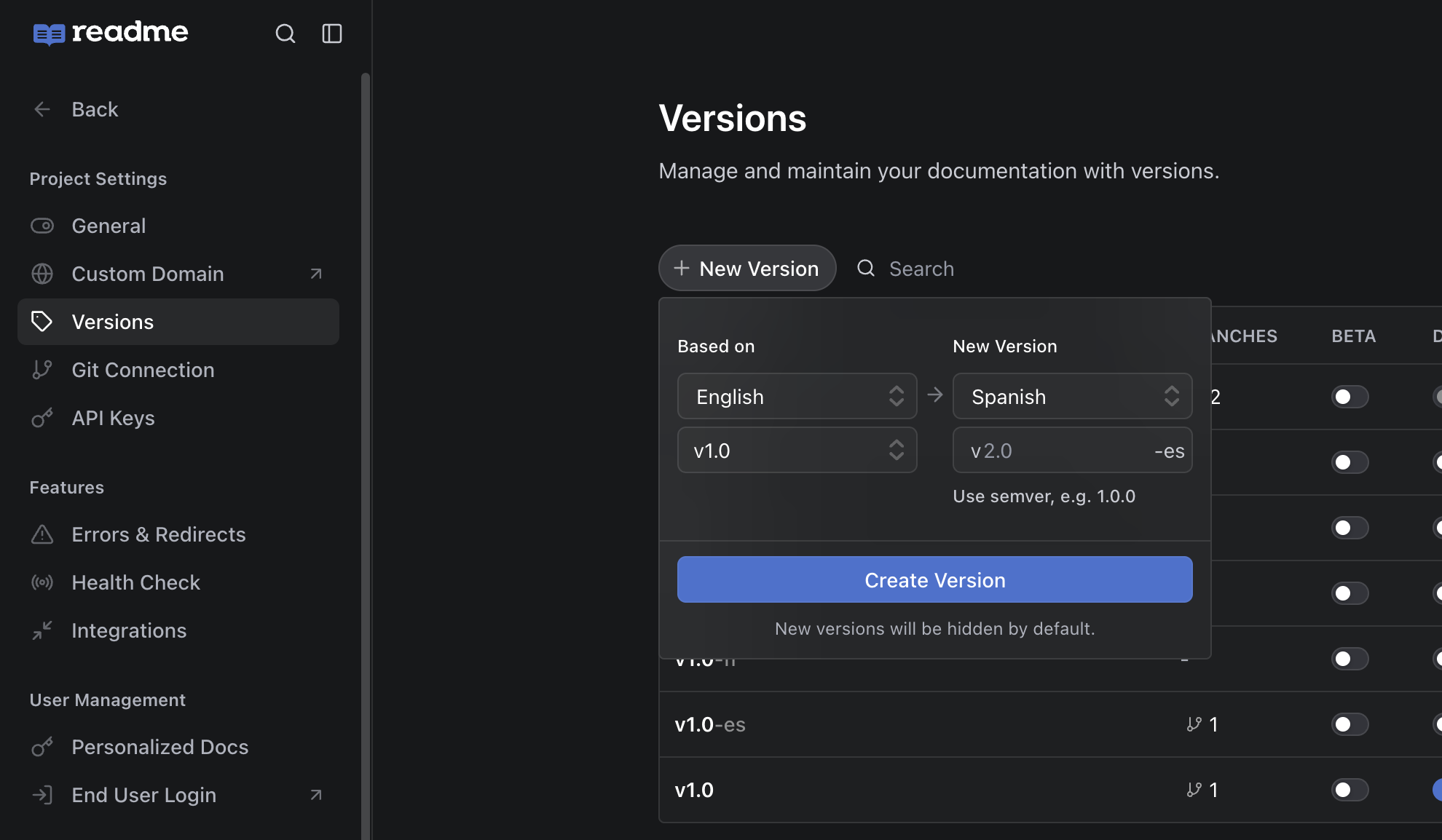
After you enable your preferred languages in the Group Dashboard, your projects get an updated Versions menu that supports the selected languages. Everything works the same as versions and branches do today, with a few differences:
- A language picker appears at the top of the Versions & Branches menu, letting you switch between selected languages.
- In non-default languages, version names are appended with their language code, for example
-esfor Spanish. - If a language has no versions, it does not appear to end users in the Hub language picker.
- You can fork from an existing version in any supported language.
Third-Party Localization Services
Beyond built-in translations, ReadMe integrates with localization platforms for teams that manage translation workflows externally:
These integrations add capabilities such as automatic change detection, in-context editors, string-level translation, machine translation with human review, and professional translator outsourcing.
Enterprise featureIntegration with Smartling is an Enterprise feature. Contact
[email protected]if you're interested.
Updated last month